一、简介
SiFli组件注册表说明文档
SiFli组件注册表首页
打包上传组件文档
SiFli Package Registry
本文目标是介绍sifli组件的使用方式。
以实际使用组件注册表中的 sensor-algorithm 来完成一个姿态传感器的功能。
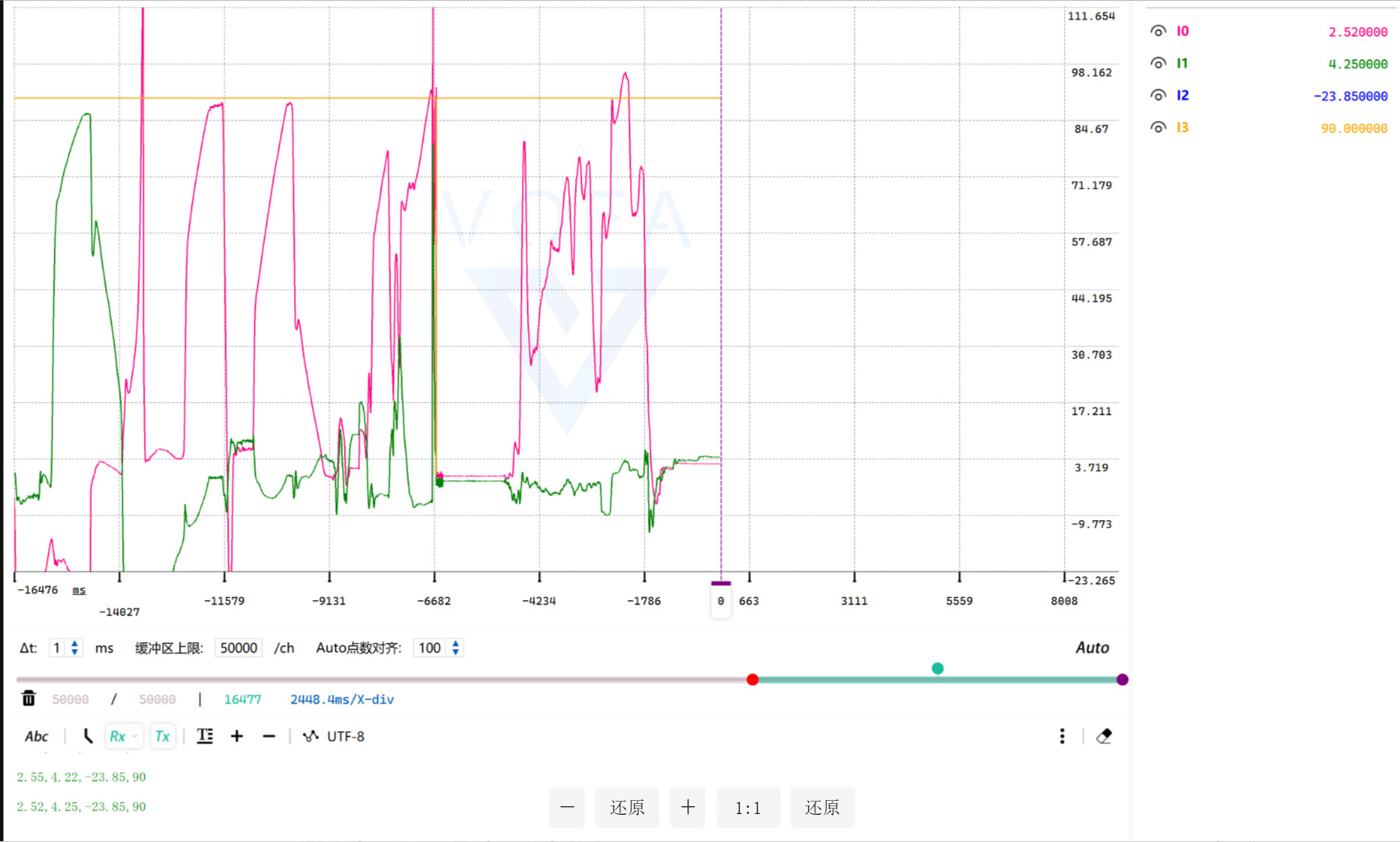
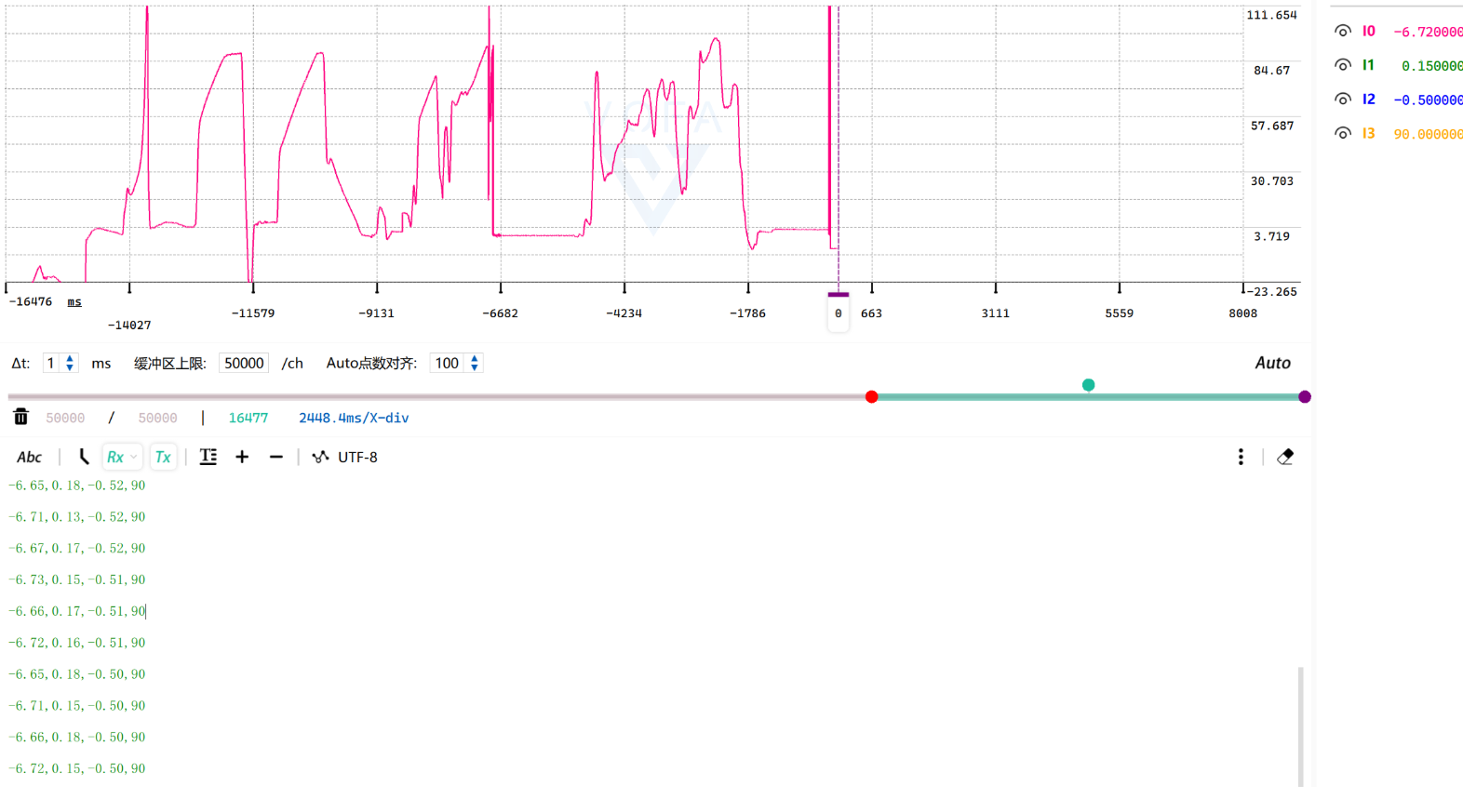
最终可通过现象查看lsm6dsl传感器角度输出数据。
开发板为黄山派(因为黄山派自带lsm6dsl传感器)
二、组件说明
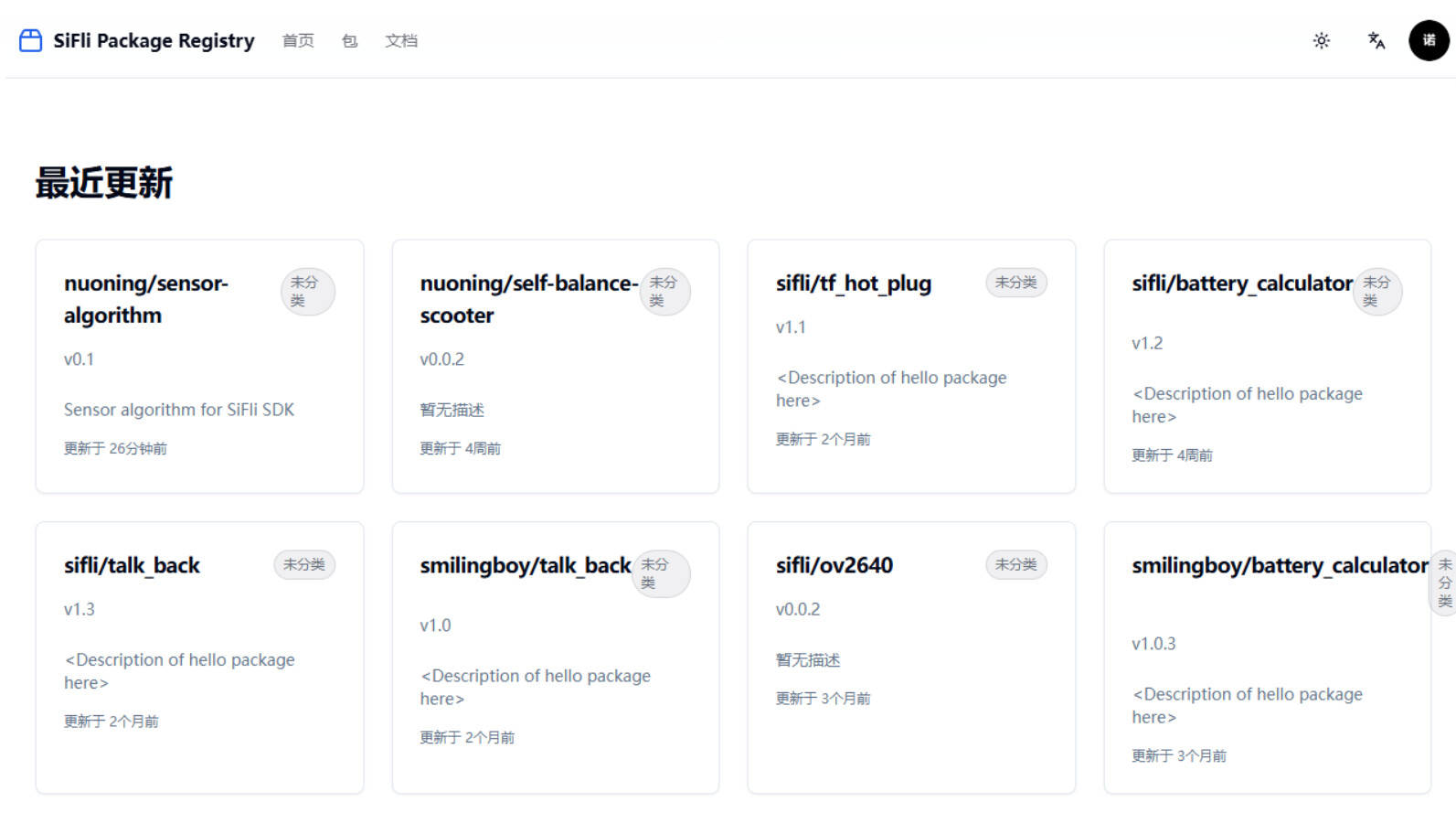
可以在 SiFli组件注册表首页 中找到需要使用的组件
点击可进入组件查看组件功能和使用说明文档
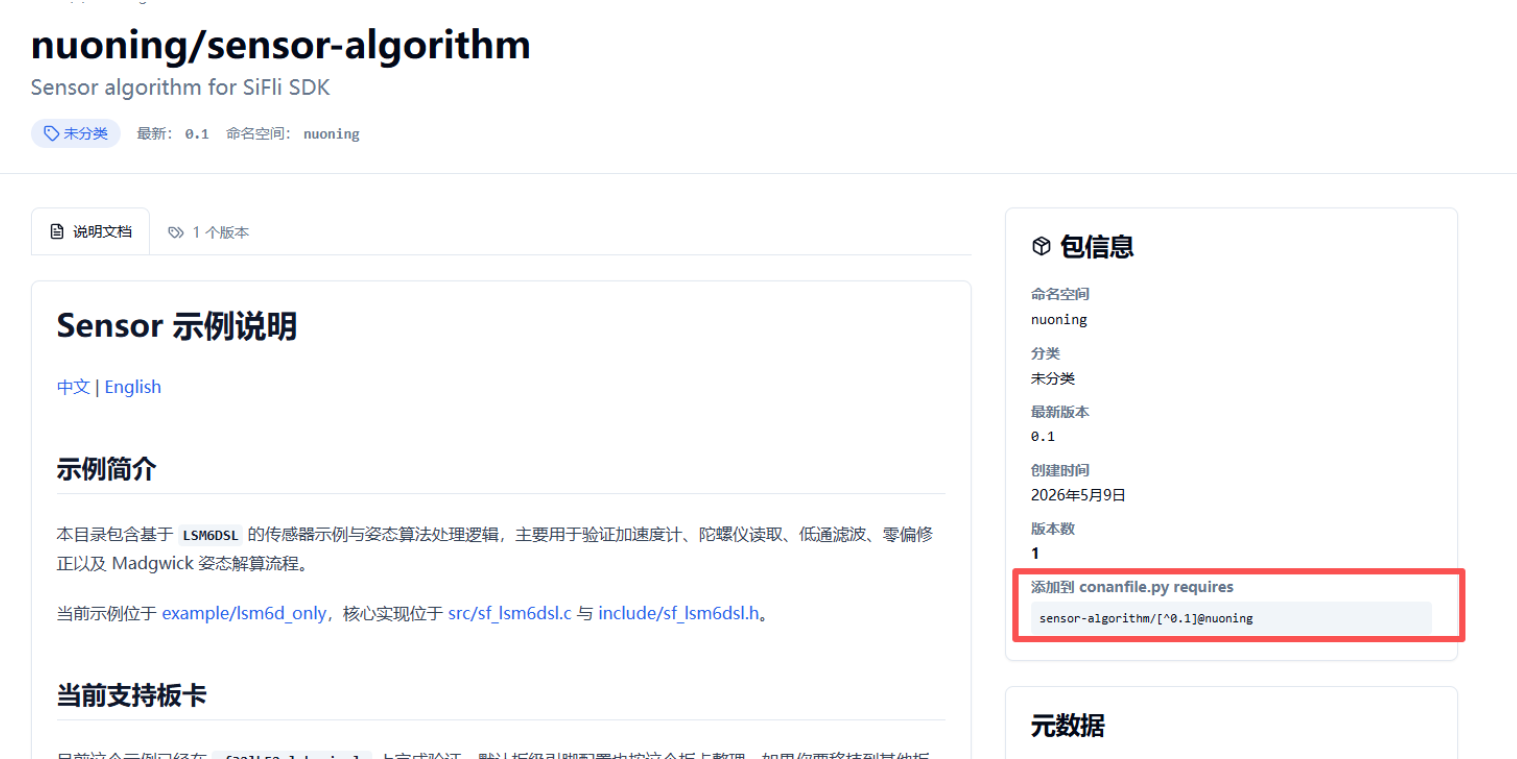
网页中包含包信息其中
添加到 conanfile.py requires下的sensor-algorithm/[^0.1]@nuoning是我们需要的组件信息
三、添加组件
组件的使用不需要注册用户即可直接使用
这里以hello_world工程添加sensor-algorithm组件为例
1、初始化依赖
进入工程
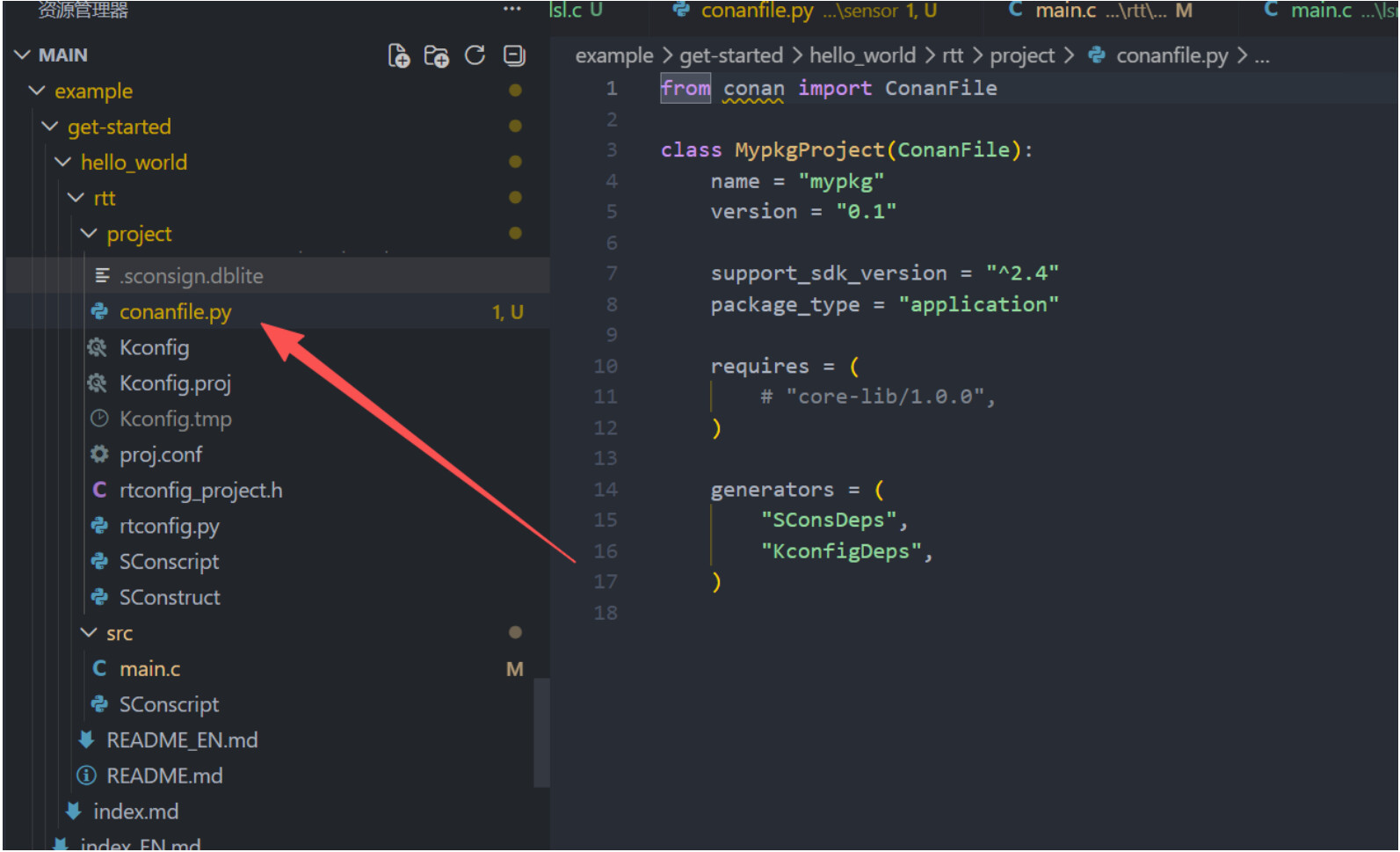
project目录下输入:sdk.py sf-pkg init
执行成功后生成conanfile.py文件,文件内容默认如图所示
2、组件搜索
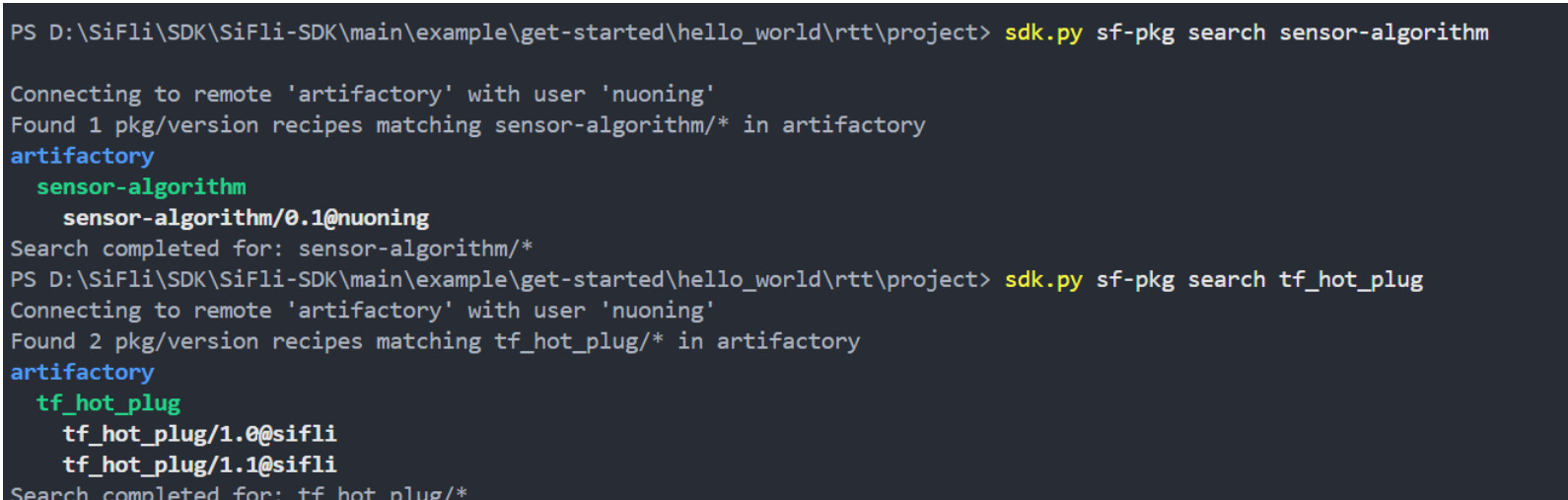
除了可以在组件注册表官网搜索组件,也可以通过
sdk.py sf-pkg search <package_name>来搜索组件信息
sdk.py sf-pkg search tf_hot_plug
3、添加依赖
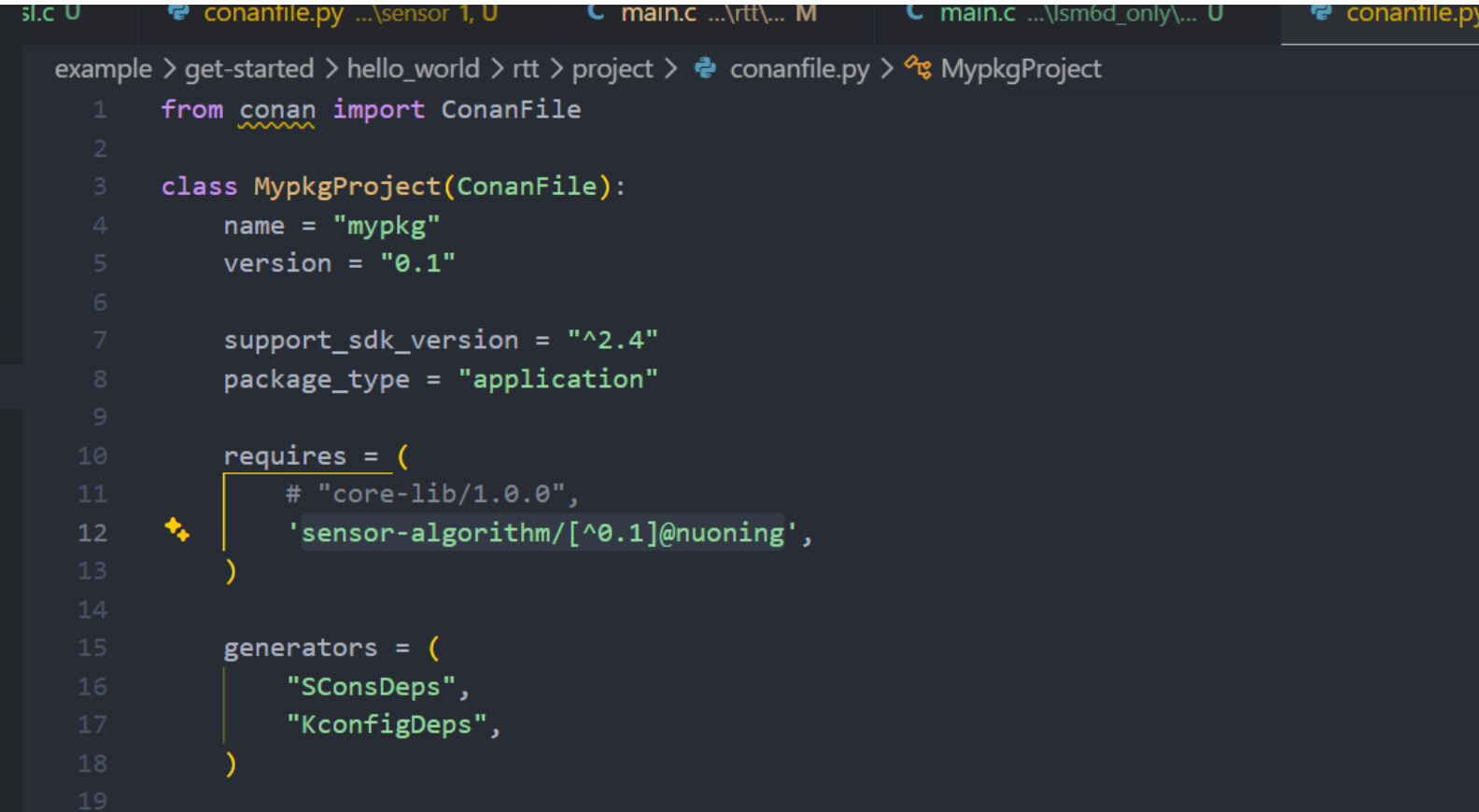
将我们前面看到的包信息中的
sensor-algorithm/[^0.1]@nuoning添加到requires字段中,如图
4、安装依赖
使用
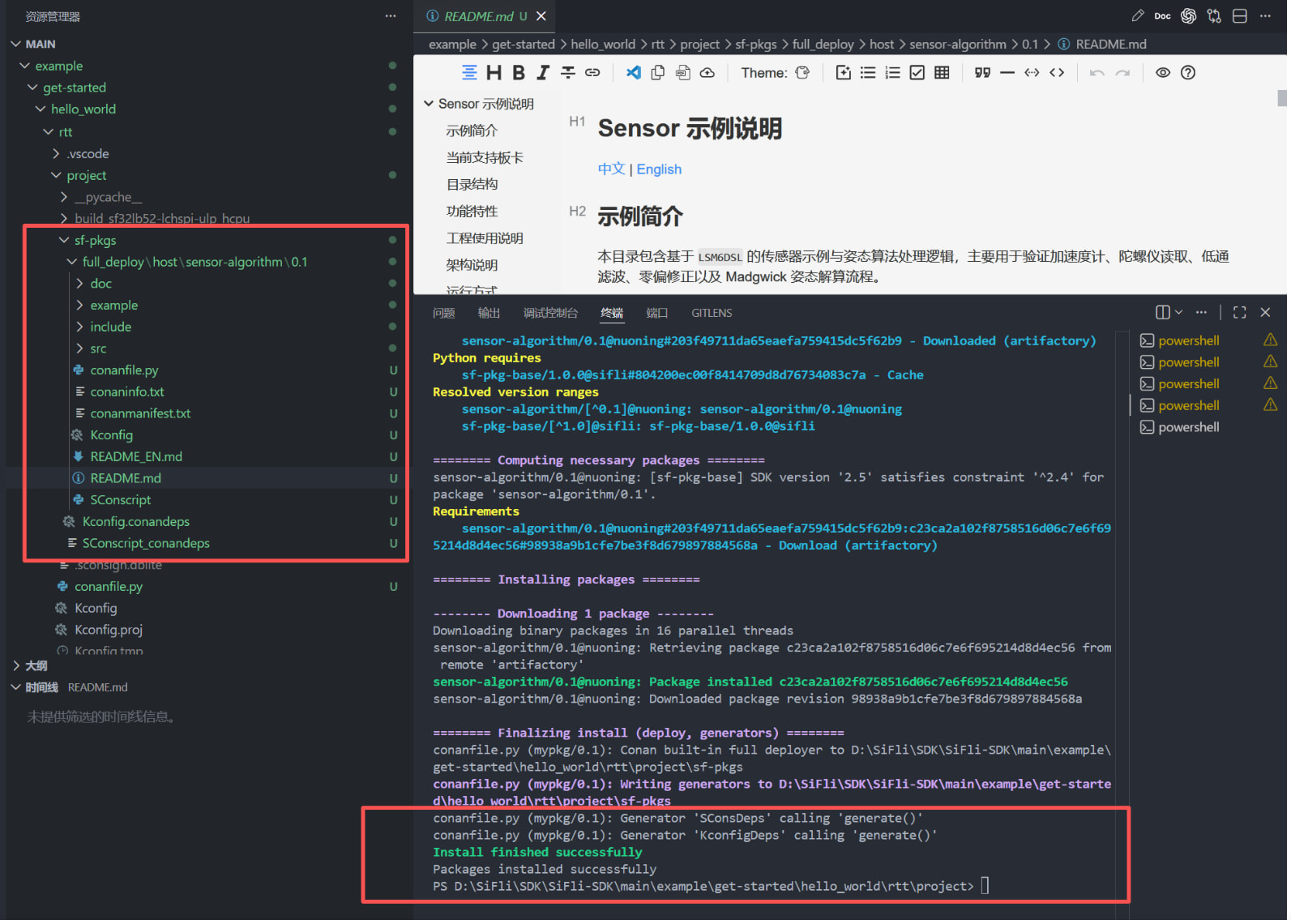
sdk.py sf-pkg install安装依赖
成功安装后会出现Packages installed successfully,同时project下出现sf-pkgs文件夹
sf-pkgs文件中包含了组件库包含的驱动代码,至此组件安装完成
5、依赖说明
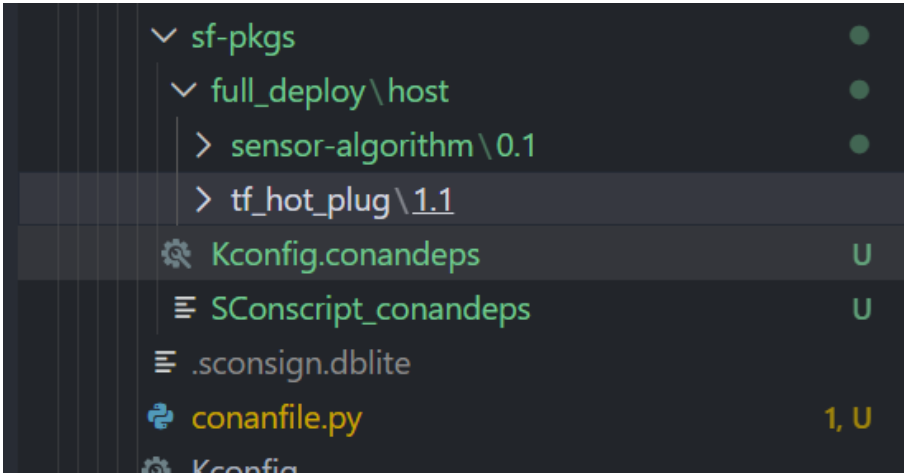
安装的依赖统一在
sf-pkgs文件夹中管理
组件依赖网页端一般也包含组件的使用说明和API接口说明,安装的依赖库中也包含
README.md说明文档
使用时直接添加头文件即可调用对应API,include 头文件时无需填写绝对路径,Conan 会自动处理路径配置
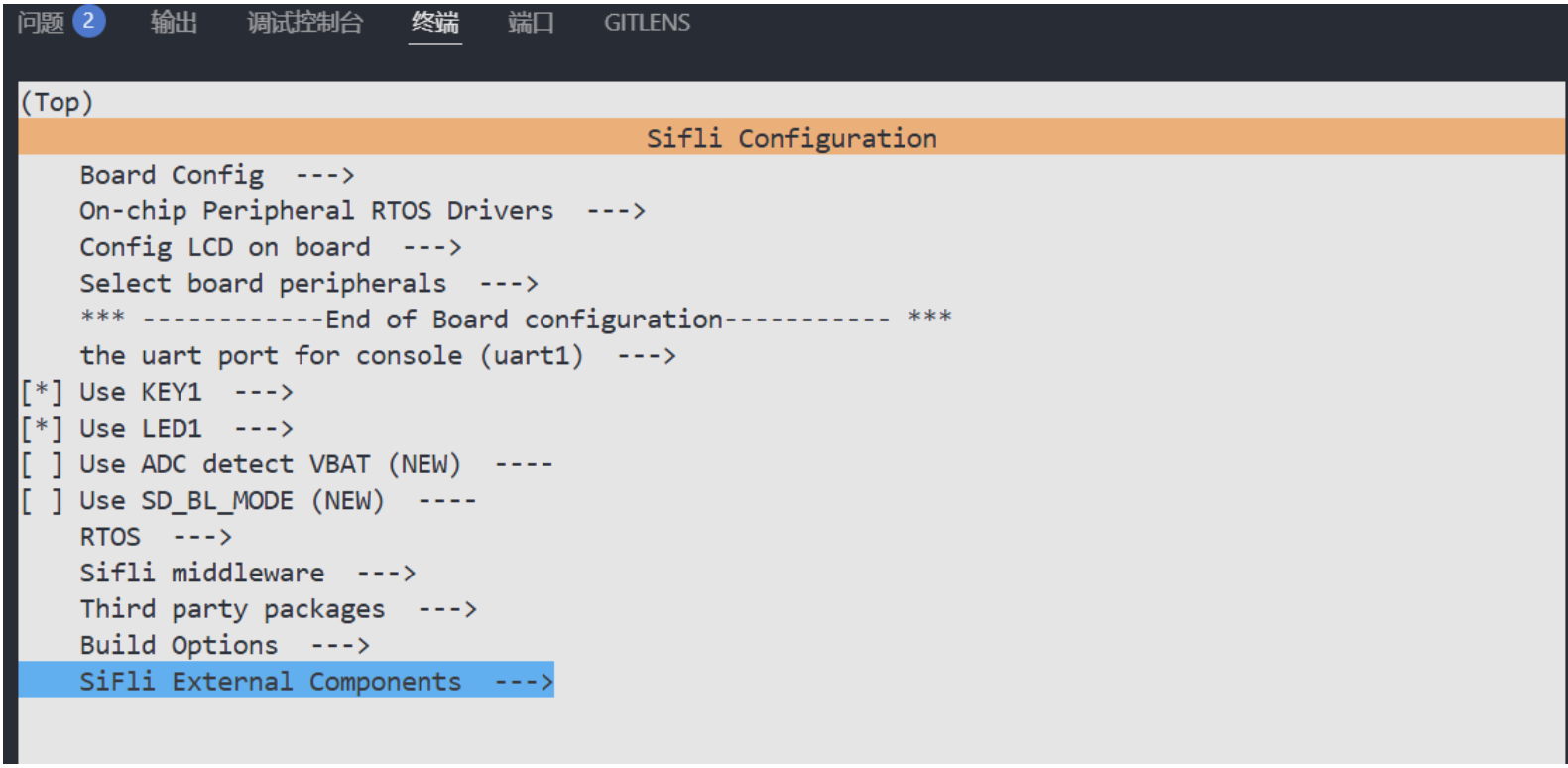
Kconfig中有关组件的额外配置会自动添加到menuconfig中的SiFli External Components

四、组件使用
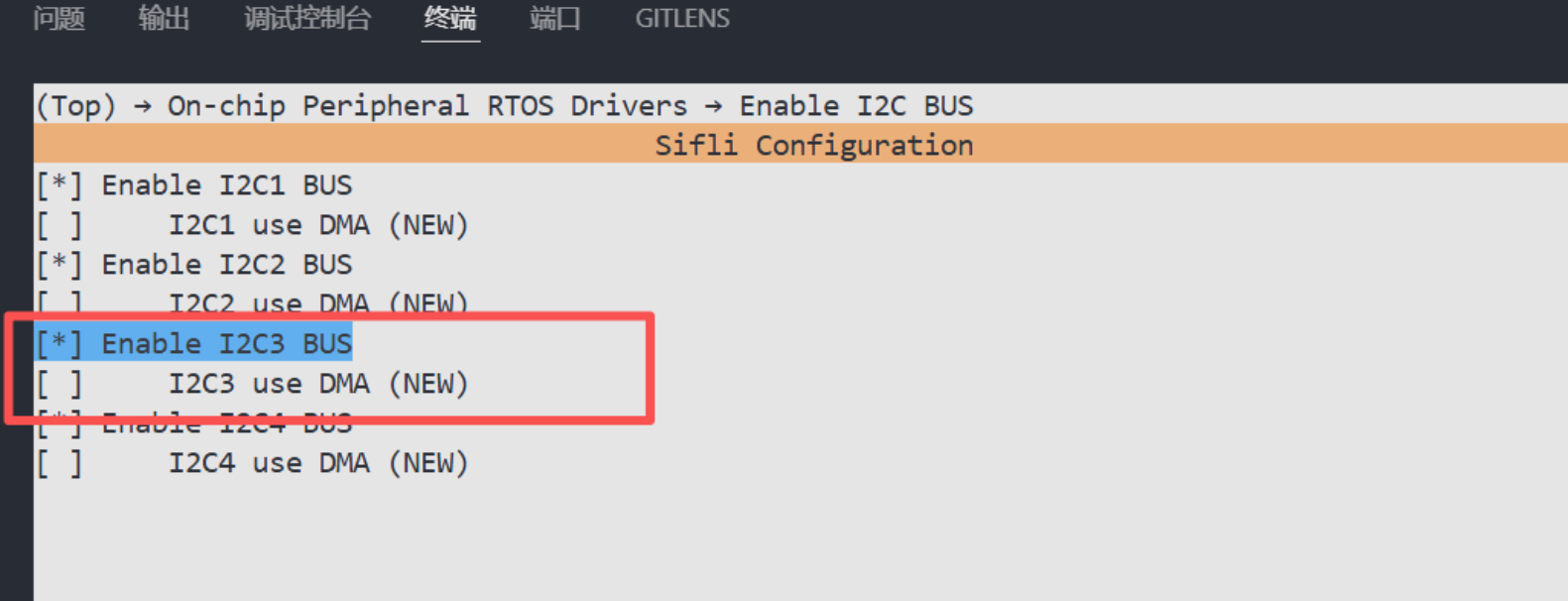
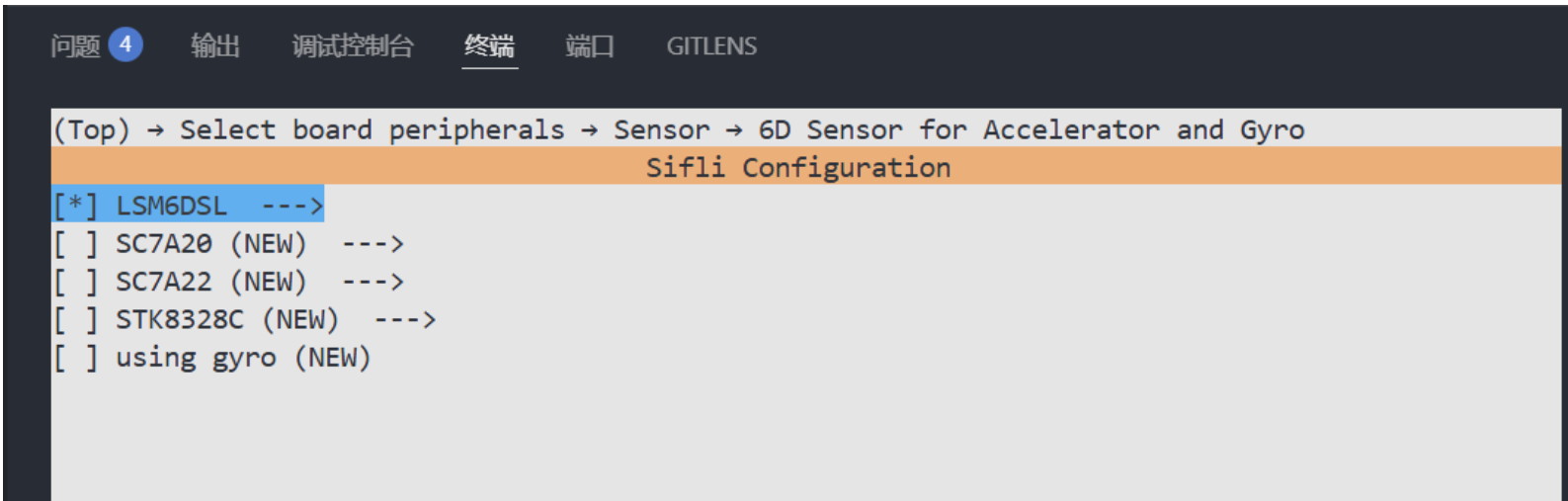
1、menuconfig配置
进入hello_world工程project下,打开menuconfig中LSM6DSL相关配置
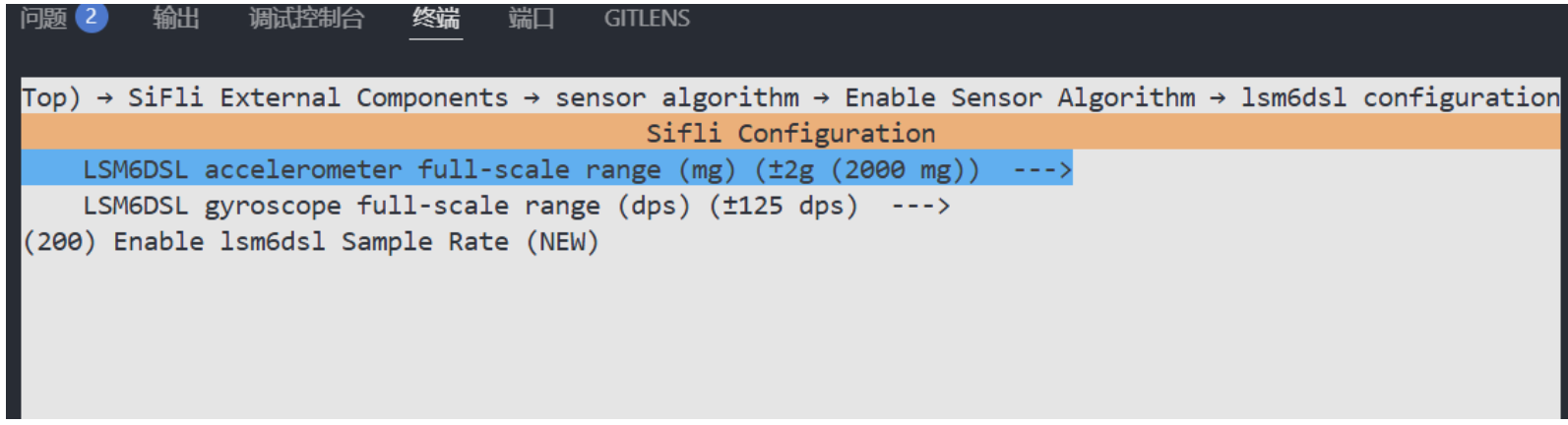
2、组件menuconfig配置
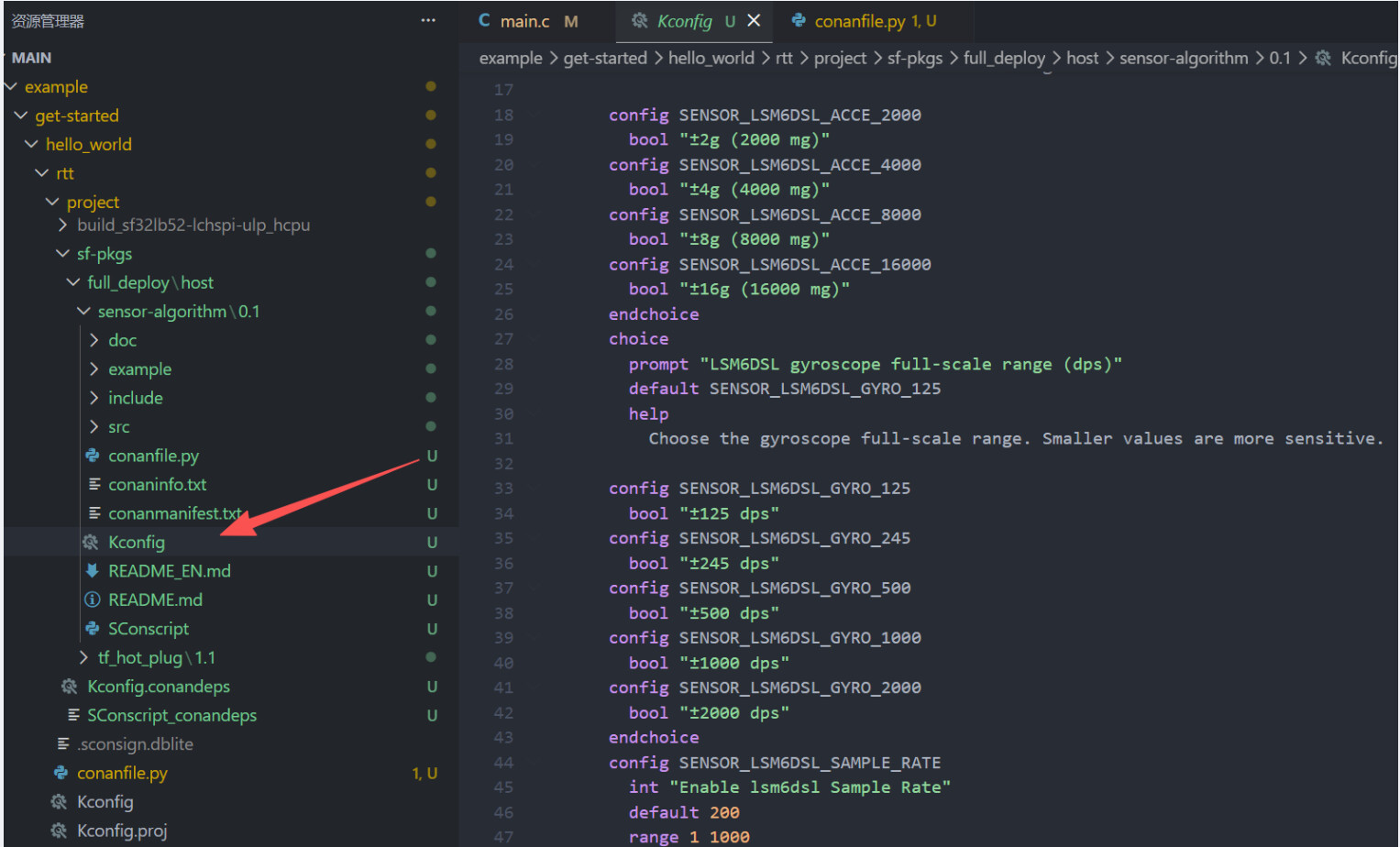
有的组件中也带有可配置的选型,在生成组件时被写入了组件的
Kconfig文件中
在使用组件时,组件的Kconfig会自动被整合到menuconfig中,可以直接通过打开menuconfig下的SiFli External Components进行配置
这里配置传感器量程为2g(角速度量程),125dps(角速度量程),采用速率为200Hz
3、mian.c函数调用
添加
#include "sf_lsm6dsl.h"头文件
在main函数中调用组件函数,组件说明文档中有相关说明
#include "rtthread.h"
#include "bf0_hal.h"
#include "drv_io.h"
#include "stdio.h"
#include "string.h"


#include "sf_lsm6dsl.h"


int main(void)
{
    /* Output a message on console using printf function */
    rt_kprintf("Hello world!\n");

    struct rt_sensor_config cfg;
    rt_device_t lsm6d_dev, lsm6d_gyro_dev;
    sf_lsm6dsl_runner_t runner;
    sensors_init(&cfg, &lsm6d_dev, &lsm6d_gyro_dev);
    sf_lsm6dsl_runner_init(&runner, lsm6d_dev, lsm6d_gyro_dev);
    sf_lsm6dsl_runner_start(&runner, sf_lsm6dsl_sample_period_ticks());
    /* Infinite loop */
    while (1)
    {
        // Delay for 1000 ms to yield CPU time to other threads
        rt_thread_mdelay(1000);
    }
    return 0;
}
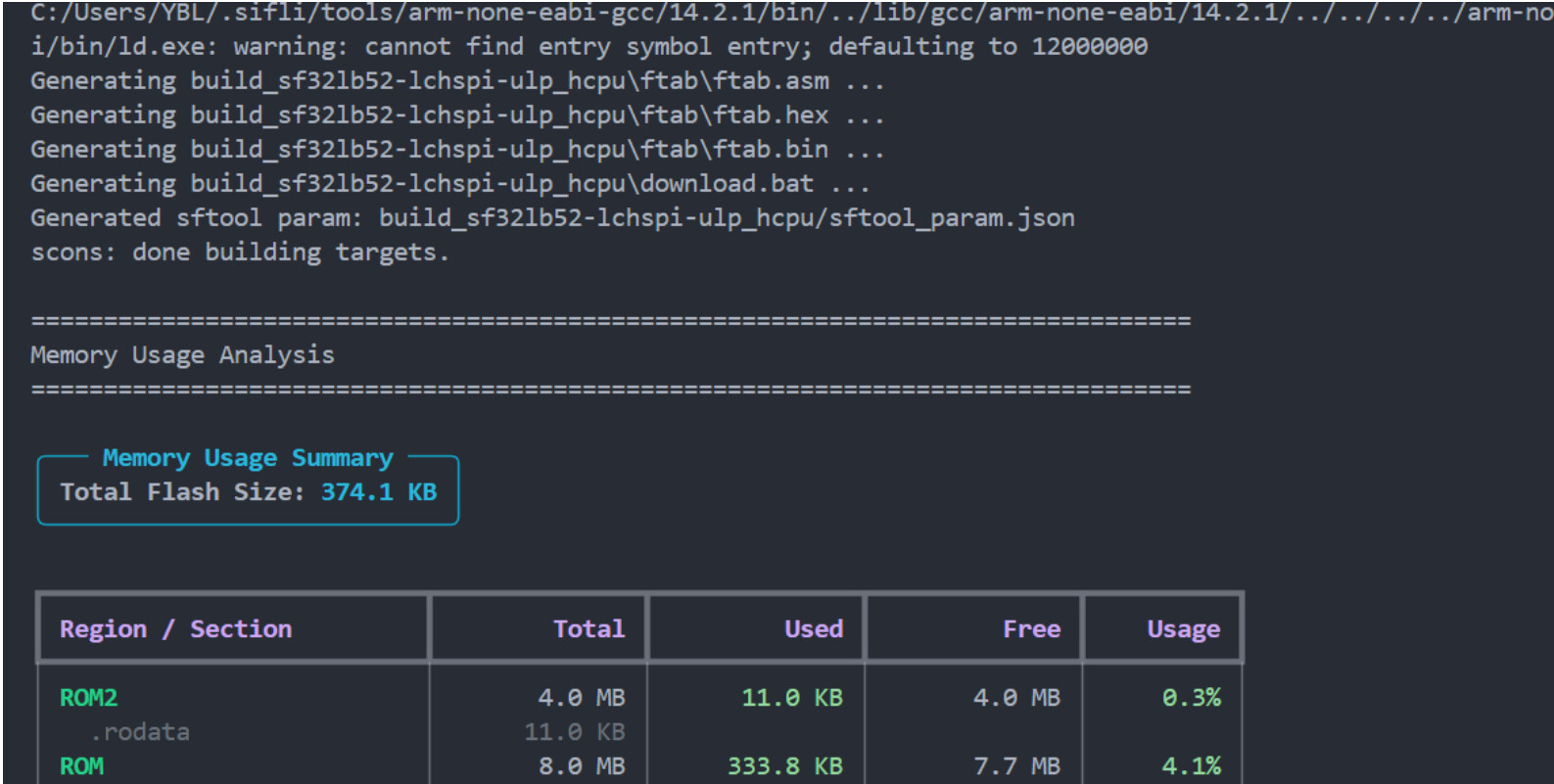
3、编译下载
编译:
scons --board=sf32lb52-lchspi-ulp -j8
下载:.\build_sf32lb52-lchspi-ulp_hcpu\uart_download.bat
查看输出:
五、总结
本文简单说明了如何使用sifli组件注册表中的依赖,并以
sensor-algorithm为例完成所有流程
除此之外大家也可以积极分享上传自己的组件,后续也会更新如何打包上传自己的组件
另外如果有问题疑问可以在帖子下提出,一起完善。