
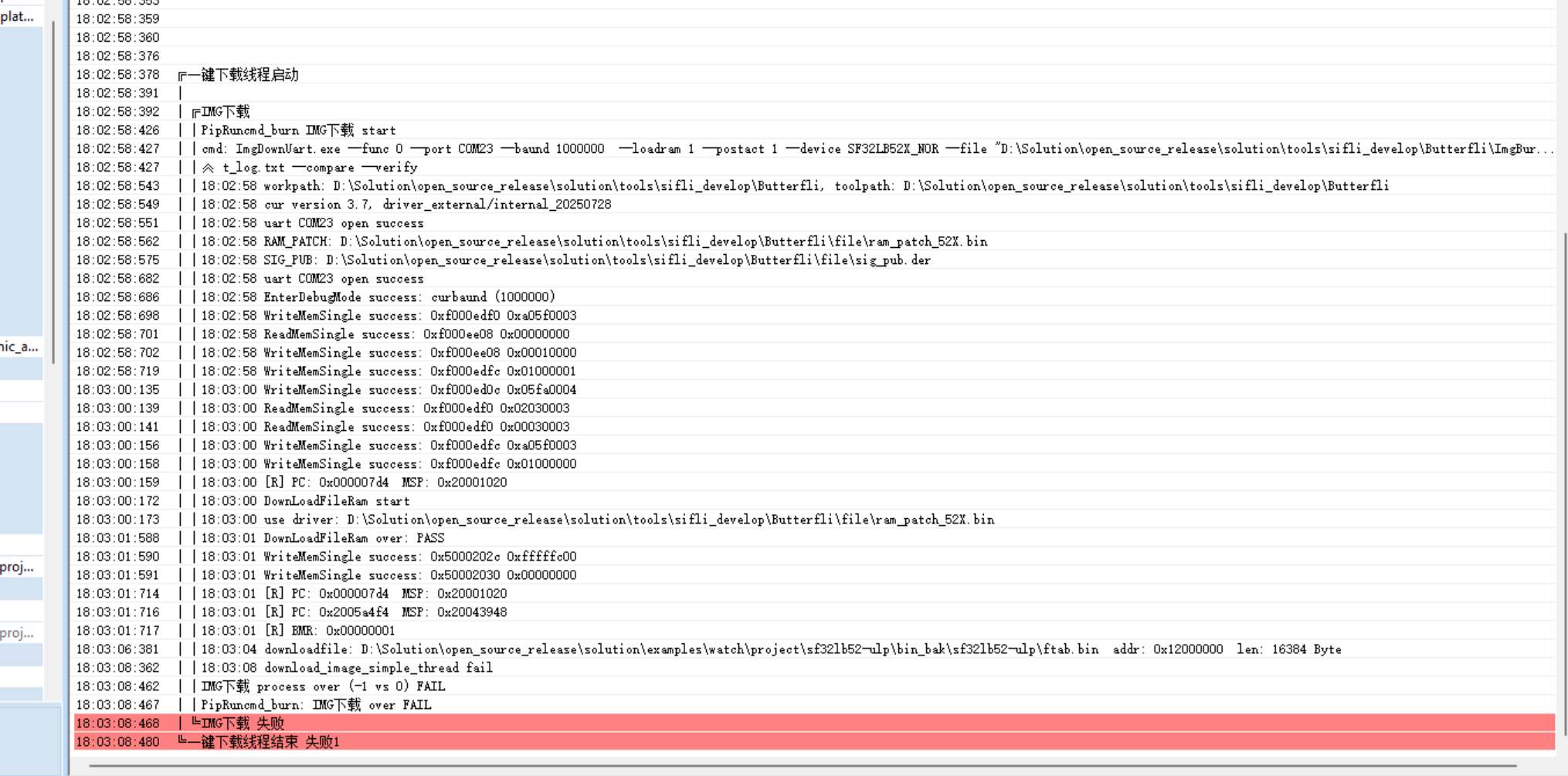
After compilation, the download keeps waiting. The serial port is correct, and I’ve tried baud rates of 1,000,000 and 115,200, but neither works. The log folder is shown in the image below—unsure how to proceed with checking it.

After compilation, the download keeps waiting. The serial port is correct, and I’ve tried baud rates of 1,000,000 and 115,200, but neither works. The log folder is shown in the image below—unsure how to proceed with checking it.


You can screenshot all the errors like this, but it still won’t make anything clear ![]()
After resetting and entering Boot mode, try clicking download again.
This phenomenon seems quite abnormal, as if the serial port dropped after being opened and got stuck due to the driver. Normally, the flashing process should return whether it succeeds or fails, rather than getting stuck here. If this issue persists, try unplugging the serial port—does the software exit the download process?
Thank you for the response, it has been resolved.
Thank you for your response, the issue has been resolved.
Thank you for your response, the issue has been successfully resolved.
@NorihigeNeko We’ve encountered this issue as well. Do you know what’s causing it and how to fix it?