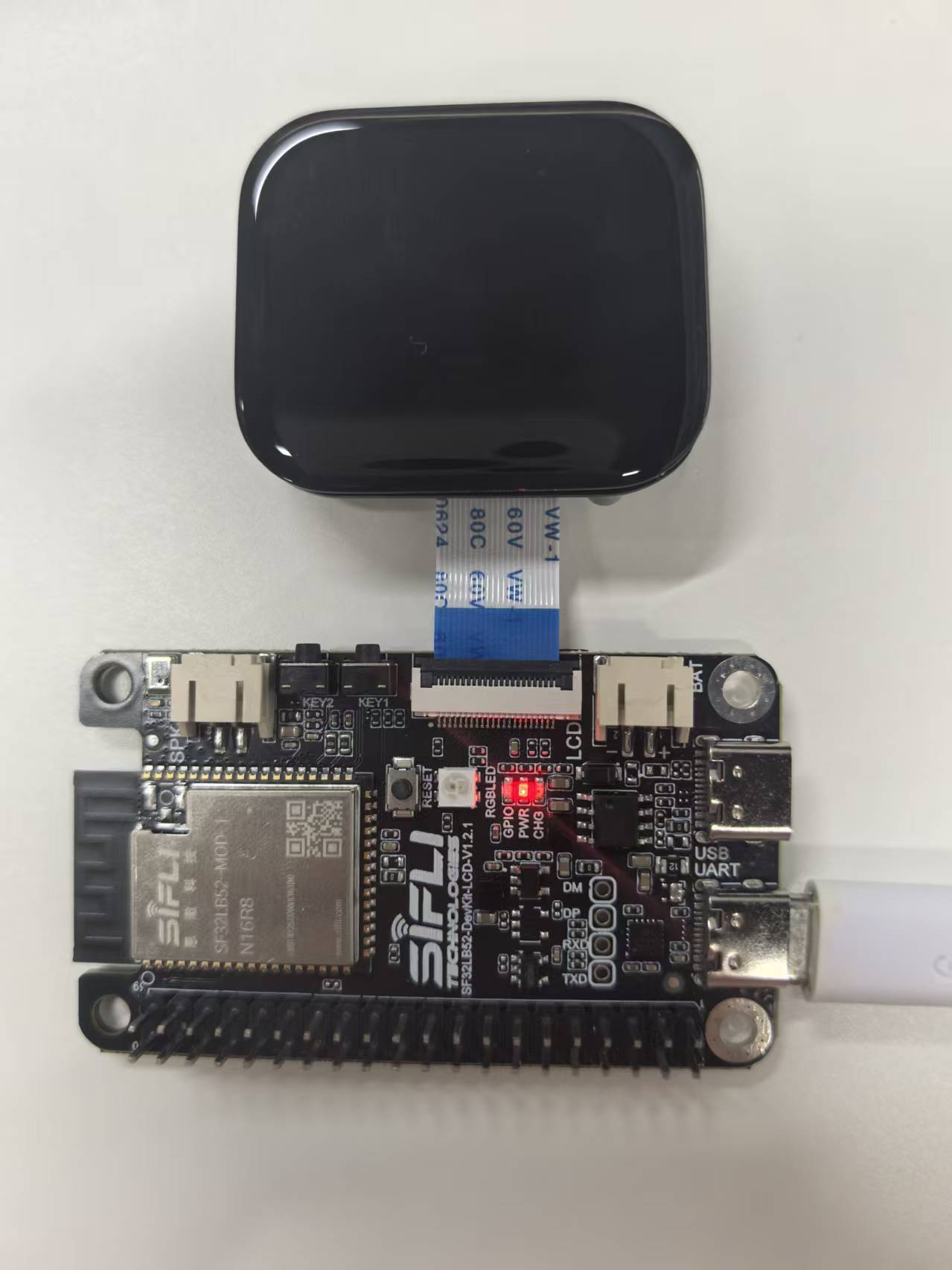
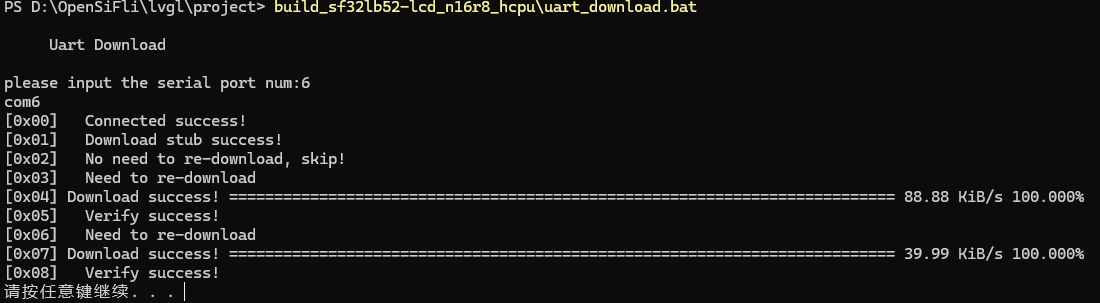
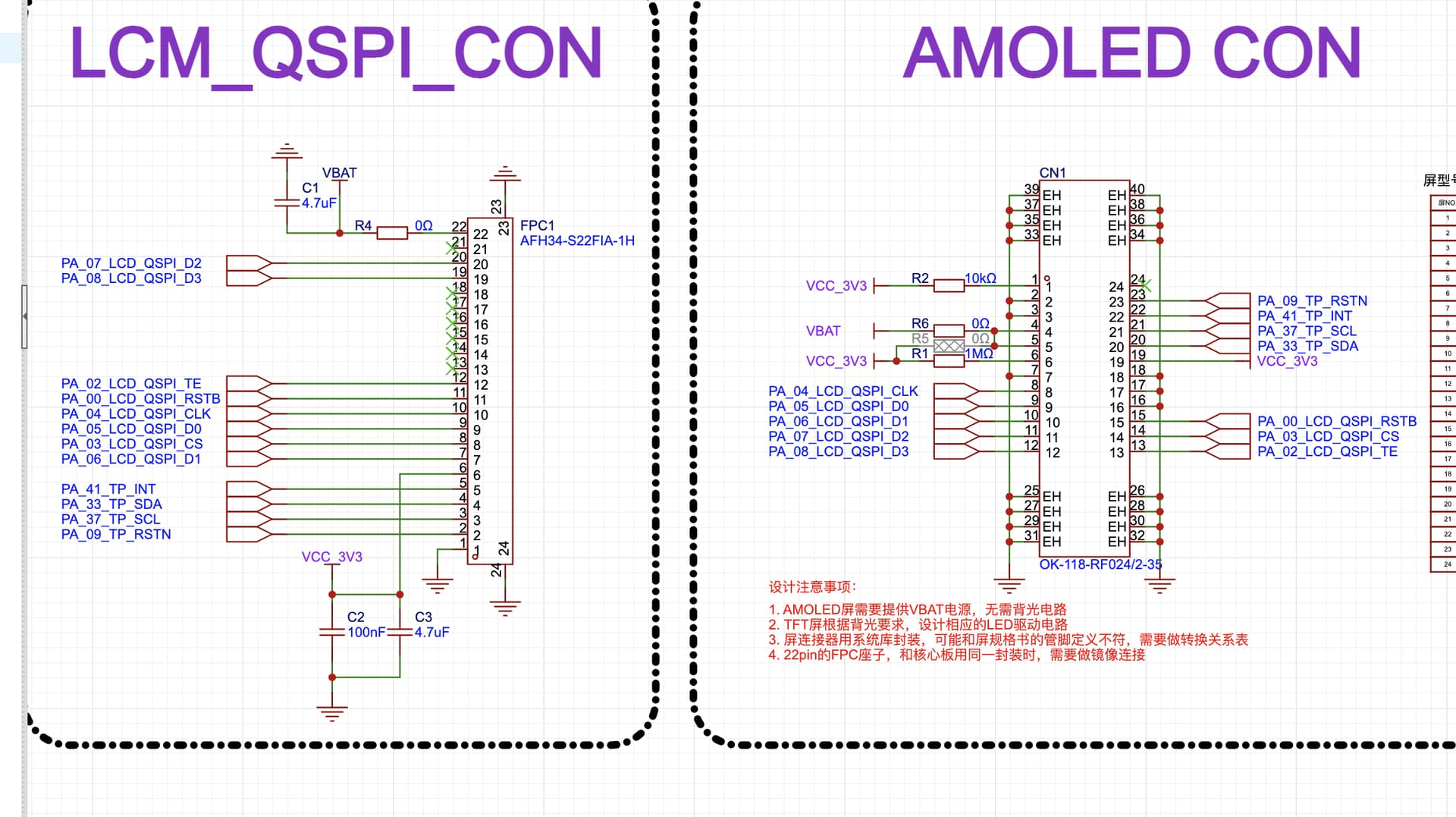
使用SF32LB32开发板连接黄山派屏幕,跑了lvgl_v8的benchmark,串口成功打印了结果,但是屏幕一直不亮,日志打印内容如下:
[14:40:44.789]收←◆Serial:c2,Chip:4,Package:3,Rev:2 Reason:00000000
\ | /
- SiFli Corporation
/ | \ build on Oct 11 2025, 2.4.0 build 00000000
2020 - 2022 Copyright by SiFli team
mount /dev sucess
[2411] I/drv.rtc main: PSCLR=0x80000100 DivAI=128 DivAF=0 B=256
[2439] I/drv.rtc main: RTC use LXT RTC_CR=00000001
[2460] I/drv.rtc main: Init RTC, wake = 0
[2623] I/drv.audprc main: init 00 ADC_PATH_CFG0 0x606
[2644] I/drv.audprc main: HAL_AUDPRC_Init res 0
[2666] I/drv.audcodec main: HAL_AUDCODEC_Init res 0
[2687] I/TOUCH main: Regist touch screen driver, probe=0x12026149
call par CFG1(3313)
fc 9, xtal 2000, pll 2047
call par CFG1(3313)
fc 9, xtal 2000, pll 2048
LV_COLOR_DEPTH = 16
LV_COLOR_16_SWAP = 0
[2883] I/drv.lcd main: [NONE] → [OPENING]
[2901] I/drv.lcd lcd_task: open
[2914] I/drv.epic lcd_task: drv_gpu opened.
[2931] I/drv.lcd lcd_task: HW open
[2961] I/drv.lcd lcd_task: Try registered LCD driver…
msh />
[14:40:44.868]收←◆
CO5300_ReadID 0x331100
[5270] I/co5300 lcd_task: LCD module use CO5300 IC
[14:40:45.059]收←◆
CO5300_ReadID 0x331100
[11512] I/co5300 lcd_task: LCD module use CO5300 IC
[11533] I/drv.lcd lcd_task: Found lcd co5300 id:331100h
[11554] I/drv.lcd lcd_task: HW open done.
[11571] I/drv.lcd lcd_task: [OPENING] → [INITIALIZED]
[11591] I/drv.lcd lcd_task: open done.
[11610] I/drv.lcd_fb main: drv_lcd_fb_init
[11628] I/drv.lcd_fb main: drv_lcd_fb_init done.
[11737] I/TOUCH main: Open
[11752] I/TOUCH tp_init: Find touch screen driver…
[11773] I/TOUCH tp_init: Probe 12026149
[11791] I/TOUCH tp_init: touch screen found driver 0x20043fe8, ft6146
[11818] I/TOUCH main: Opened.
[11833] I/LVGL main: [littlevgl2rtt] Welcome to the littlevgl2rtt lib.
[14:40:45.106]收←◆[13035] I/drv.lcd lcd_task: Auto turn on display.
[13057] I/drv.lcd lcd_task: set brightness 50
[13078] I/drv.lcd lcd_task: display on
[13093] I/drv.lcd lcd_task: [INITIALIZED] → [ON]
[14:40:45.154]收←◆[14582] E/drv.ft6146 tp_init: ft6146 id_H=64
[14607] E/drv.ft6146 tp_init: ft6146 id_L=56
[14:42:22.752]收←◆
LVGL v8.3.1 Benchmark (in csv format)
Weighted FPS: 59
Opa. speed: 98%
Rectangle,75
Rectangle + opa,75
Rectangle rounded,72
Rectangle rounded + opa,59
Circle,68
Circle + opa,44
Border,81
Border + opa,79
Border rounded,71
Border rounded + opa,70
Circle border,65
Circle border + opa,58
Border top,76
Border top + opa,72
Border left,72
Border left + opa,72
Border top + left,71
Border top + left + opa,71
Border left + right,70
Border left + right + opa,69
Border top + bottom,68
[14:42:22.805]收←◆Border top + bottom + opa,70
Shadow small,21
Shadow small + opa,21
Shadow small offset,19
Shadow small offset + opa,17
Shadow large,8
Shadow large + opa,8
Shadow large offset,8
Shadow large offset + opa,8
Image RGB,76
Image RGB + opa,79
Image ARGB,71
Image ARGB + opa,70
Image chorma keyed,72
Image chorma keyed + opa,72
Image indexed,66
Image indexed + opa,59
Image alpha only,73
Image alpha only + opa,72
Image RGB recolor,70
Image RGB recolor + opa,72
Image ARGB recolor,69
Image ARGB recolor + opa,72
Image chorma keyed recolor,72
Image chorma keyed recolor + opa,86
Image indexed recolor,54
Image indexed recolor + opa,50
Image RGB rotate,20
Image RGB rotate + opa,20
Image RGB rotate anti aliased,20
Image RGB rotate anti aliased + opa,20
Image ARGB rotate,19
Image ARGB rotate + opa,19
Image ARGB rotate anti aliased,19
Image ARGB rotate anti aliased + opa,18
Image RGB zoom,67
Image RGB zoom + opa,68
Image RGB zoom anti aliased,67
Image RGB zoom anti aliased + opa,68
Image ARGB zoom,67
Image ARGB zoom + opa,68
Image ARGB zoom anti aliased,68
Image ARGB zoom anti aliased + opa,67
Text small,25
Text small + opa,26
Text medium,25
Text medium + opa,26
Text large,26
Text large + opa,26
Text small compressed,43
Text small compressed + opa,41
Text medium compressed,41
Text medium compressed + opa,41
[14:42:23.049]收←◆Text large compressed,40
Text large compressed + opa,41
Line,64
Line + opa,65
Arc think,68
Arc think + opa,67
Arc thick,68
Arc thick + opa,59
Substr. rectangle,100
Substr. rectangle + opa,91
Substr. border,75
Substr. border + opa,76
Substr. shadow,74
Substr. shadow + opa,74
Substr. image,72
Substr. image + opa,72
Substr. line,89
Substr. line + opa,82
Substr. arc,66
Substr. arc + opa,66
Substr. text,74
Substr. text + opa,77
硬件连接方式如下: