How can I push a brand-new compiled watch face resource from SIFLI BLE to the firmware? My procedure is as follows: I select the watch face resource xxx.zip via Watch Face Push → PUSH FILE → SELECT FILE, choose xxx.zip → start. The app log shows “success”, but the firmware displays “UI Queue full”. In the end, I cannot see the new watch face on the firmware. Requesting assistance.
If it’s solution 2.x version, on the Sifli-ble app, go to Main v2 → OTA Dfu → V3, SELECT RES FILE, and fill in the “type” at the bottom, which should be the same as the type in [PUSH FILE].
Then click “Start” to begin pushing the watch face resource zip.
If it’s solution 1.x, then follow what you described above: Main V2 → Watch Face Push → Push File to push the watch face.
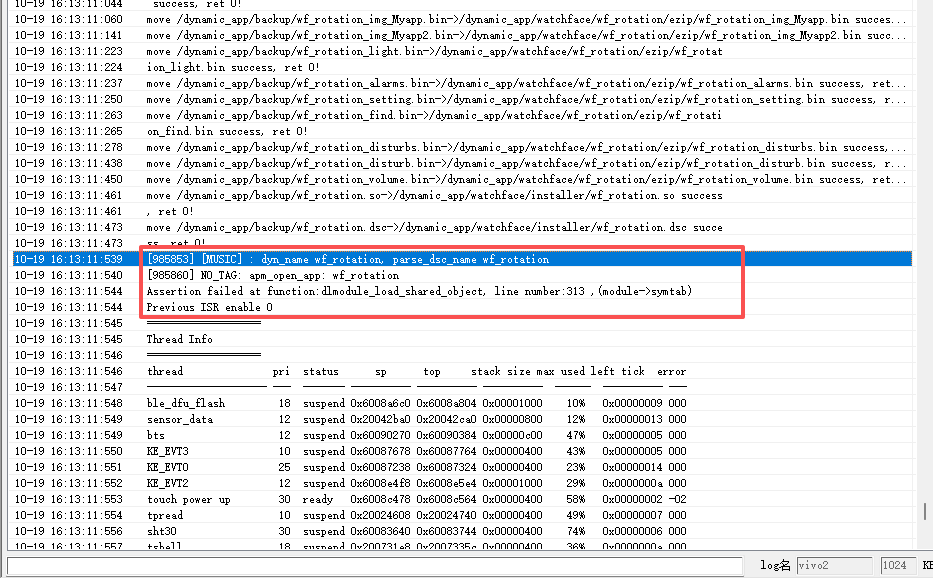
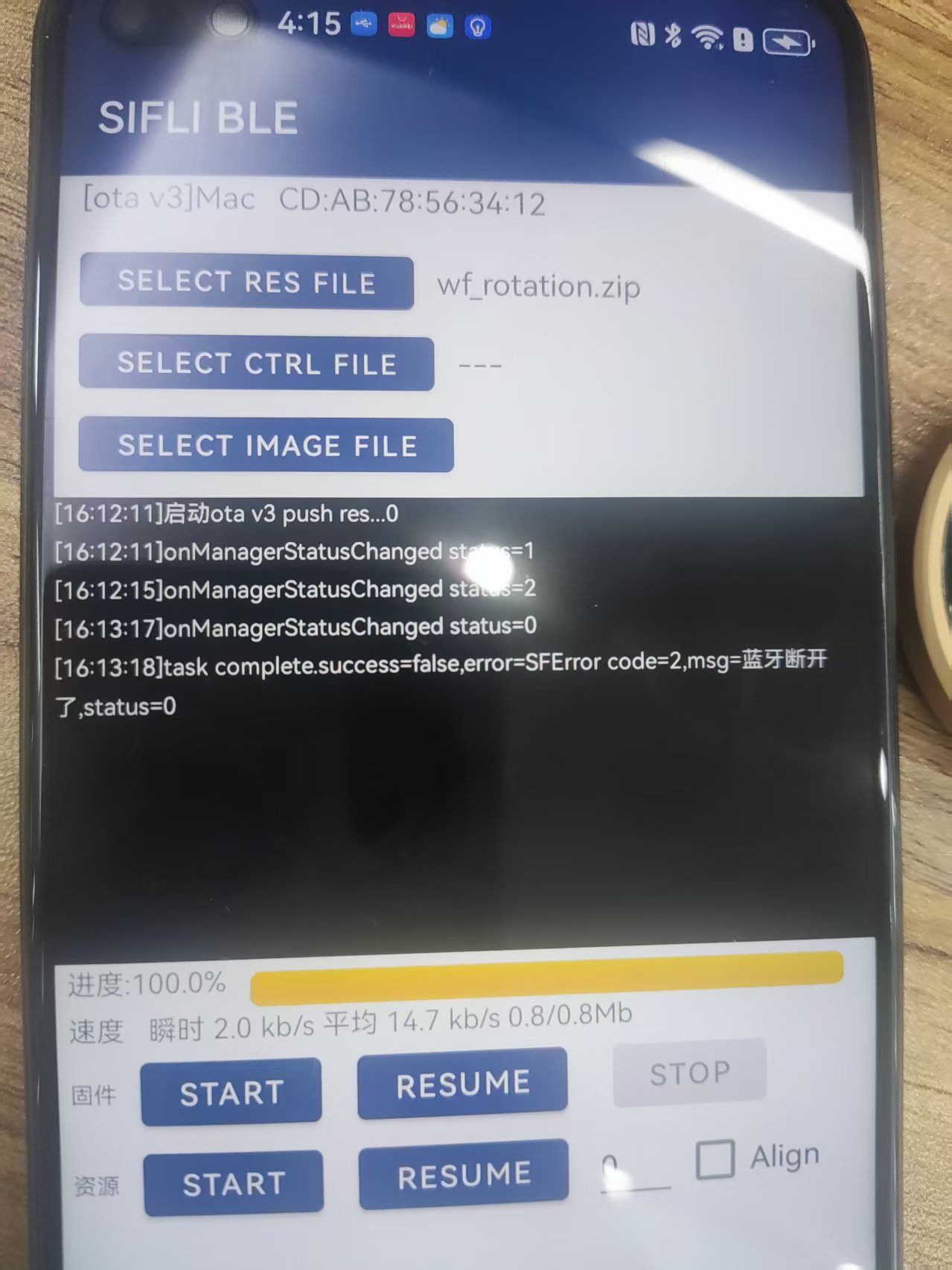
I followed your instructions, but the operation failed when the watch face was being pushed to 99%. Below are the LOG output and the app display. Is there any issue with my watch face resources?


It seems the assertion failed due to memory allocation. Currently, dlmodule memory is allocated from PSRAM, which might be caused by the watch face being too complex. You could add some logs before the assertion to check the size of memory being requested, and compare it with the remaining available PSRAM size after the assertion.