How to use Xiao Zhi AI (chatbot) on Solution?

image

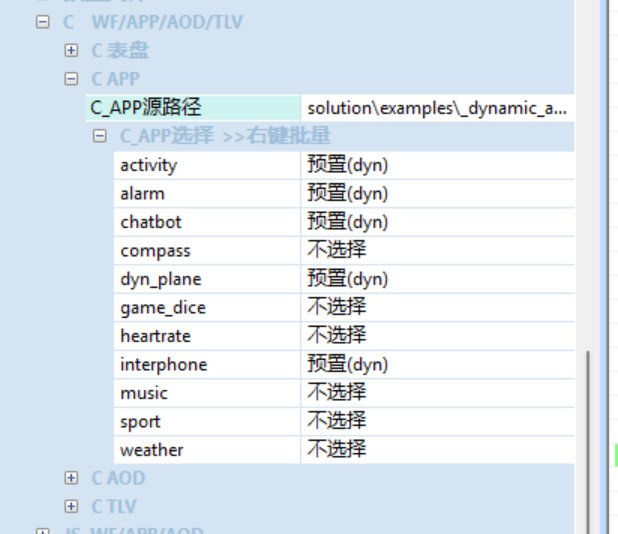
Directly modifying built-in/non-built-in applications in PrjCfg.ini results in insufficient memory after compilation. In Butterfli, direct modification allows successful compilation, but upon entering the simulation environment, the functionality remains unchanged as before, and the chatbot is also not found.

Please refer to the documentation to confirm whether all relevant configurations are enabled. Directly modifying PrjCfg.ini to force compilation may result in unresolved symbols in the main code.

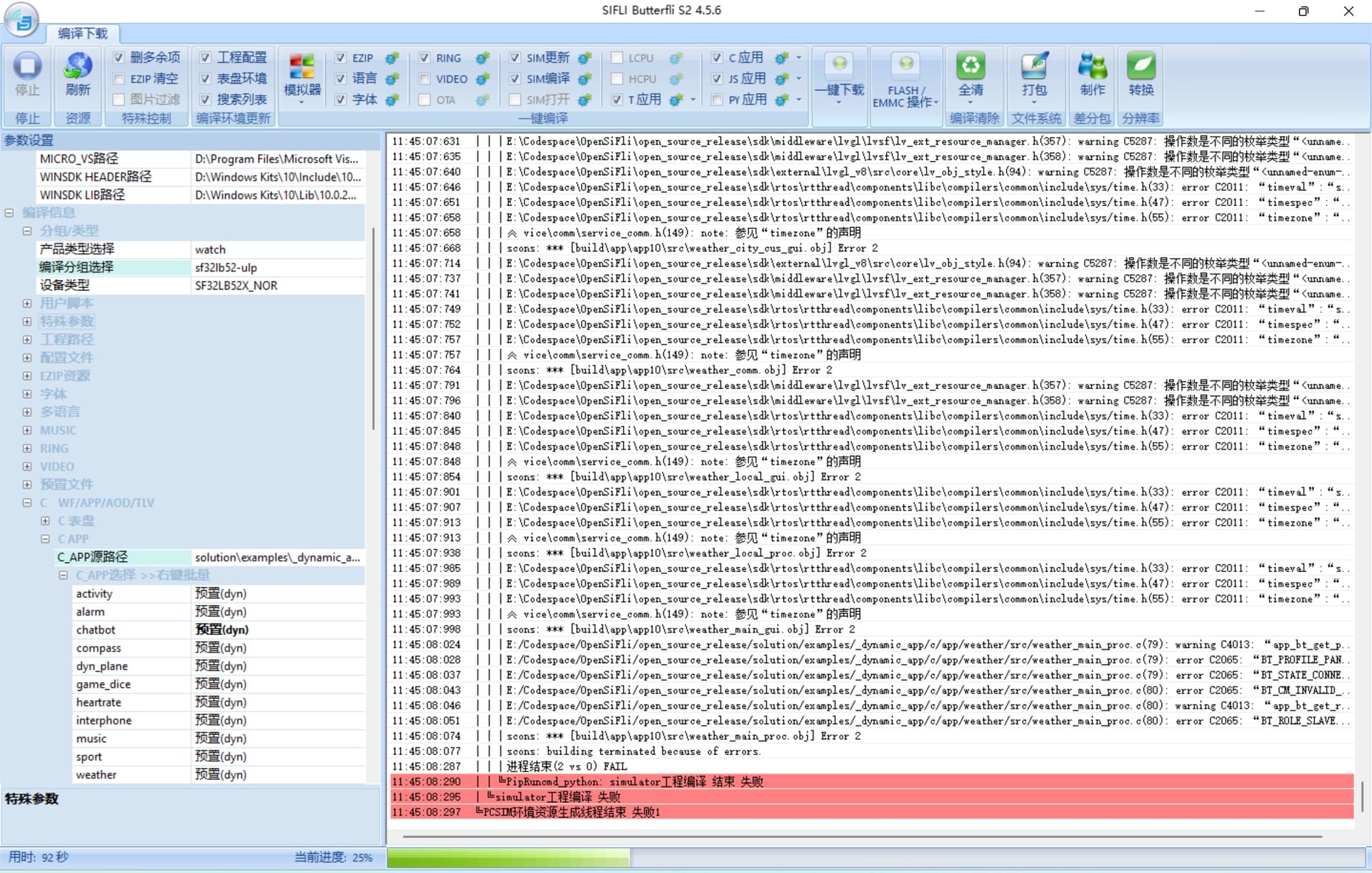
I enabled XiaoZhi-Config via menuconfig in the sf32lb52-ulp→simulator, then compiled using Butterfli’s simulate project, but encountered many errors—such as conflicts in the structure definitions from sys/time.h and sys/errno.h file not found. These errors seem to be partly related to the compilation environment. If I want to test the chatbot on the simulator, are these steps correct?

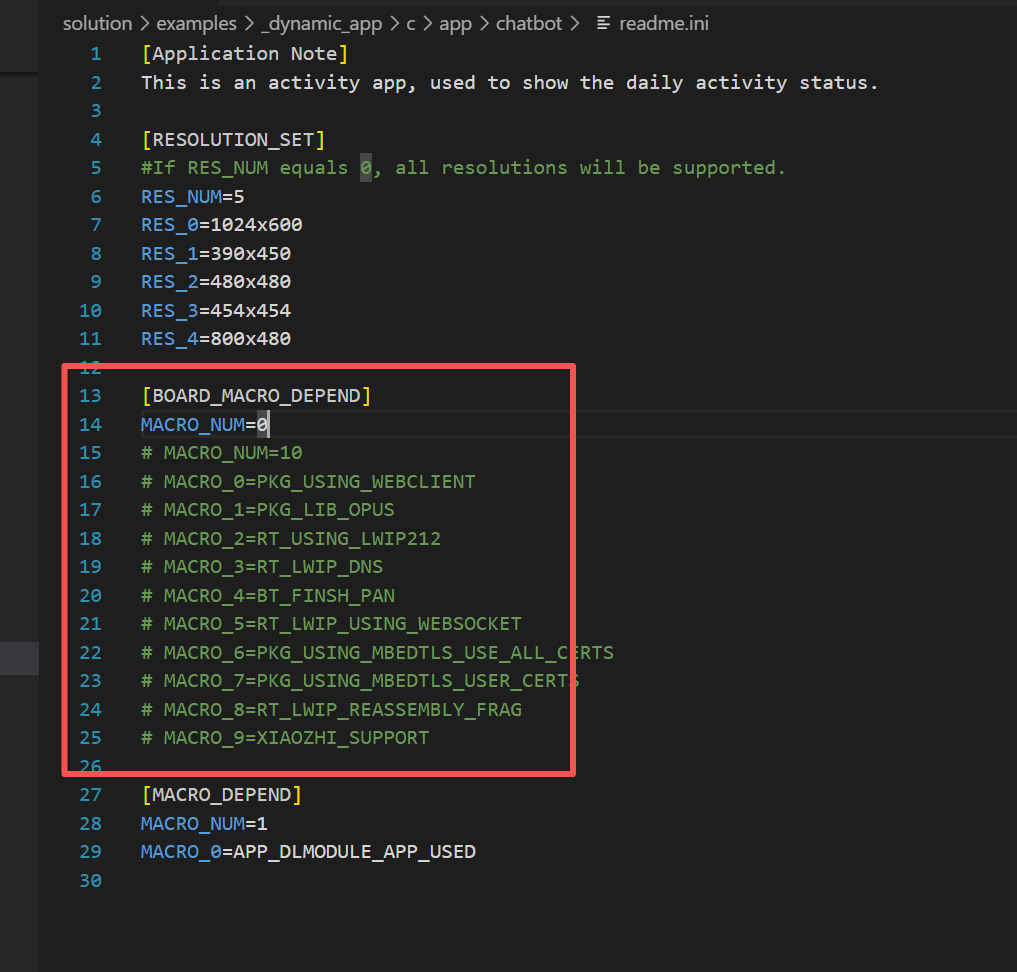
In readme.ini, BOARD_MACRO_DEPEND refers to board-level dependencies related to Bluetooth and networking, which are not needed for the simulator. You only need to ensure that APP_DLMODULE_APP_USED is enabled, which should allow normal compilation of the simulator (for the sf32lb52-ulp simulator, the chatbot application should be visible during compilation, and in theory, no configuration changes are required for successful compilation).

image After setting the board-level dependency to 0 and adding chatbot compilation, a conflict occurs in the structure defined by sys/time.h, and there are also prompts indicating that Bluetooth-related components need to be included.

Could there be an issue with the simulator compilation? Could you please share the .config file and the compilation error logs from the SIMU project? I’ll run it locally.

(2025-11-05-11-45-17).txt (73.7 KB)

.config (27.1 KB)

.config (25.6 KB)
Could you please try running with this configuration? I can compile it successfully on my end.

  1. The .config file can be used directly, and the simulate project can be compiled. After comparison, it seems that the related board-level dependency components have been disabled??

  2. After successful compilation, I used menuconfig to enable XiaoZhi-Config for the SIMU project. Comparing the .config files, it appears that the relevant dependency components were also enabled, which eventually led to compilation failure.

  3. When will a new version of the Solution be released? Could you please add support for other development boards in the examples? Currently, the LCSC Huangshanpai SF32LB52-ULP board is out of stock with a 42-day lead time. Could you consider trimming down the functionality to support XiaoZhi AI features on smaller boards like the NANO, so I can develop directly on these development boards?

Hello, we will release version 2.3.3 this week, but this version is still primarily for Huangshan Pai. We’ll use this version to verify whether it can directly run on the nano board. If feasible, we’ll get back to you with specific operation steps. We’ll also continuously release version 2.4 this month, which will support all online platforms.

Alright, thank you. I’m also looking forward to the new version, :grinning_face:

Hello, version 2.4 has been released; you can contact Taobao customer service to obtain it.