JLINK V8.66 new board issue

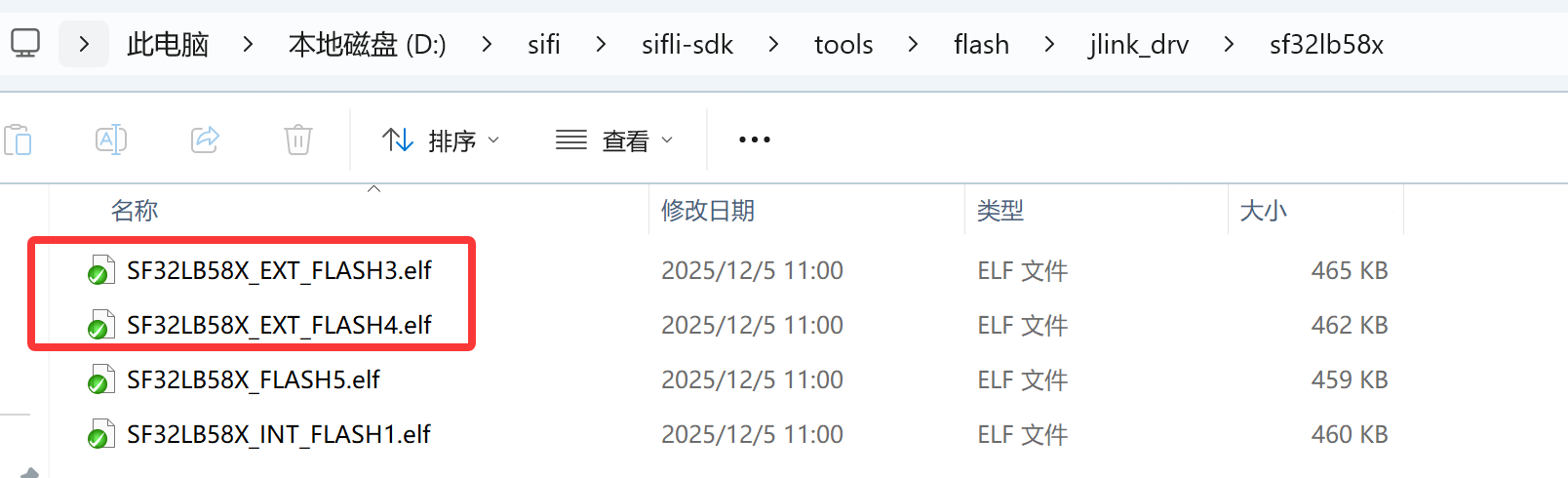
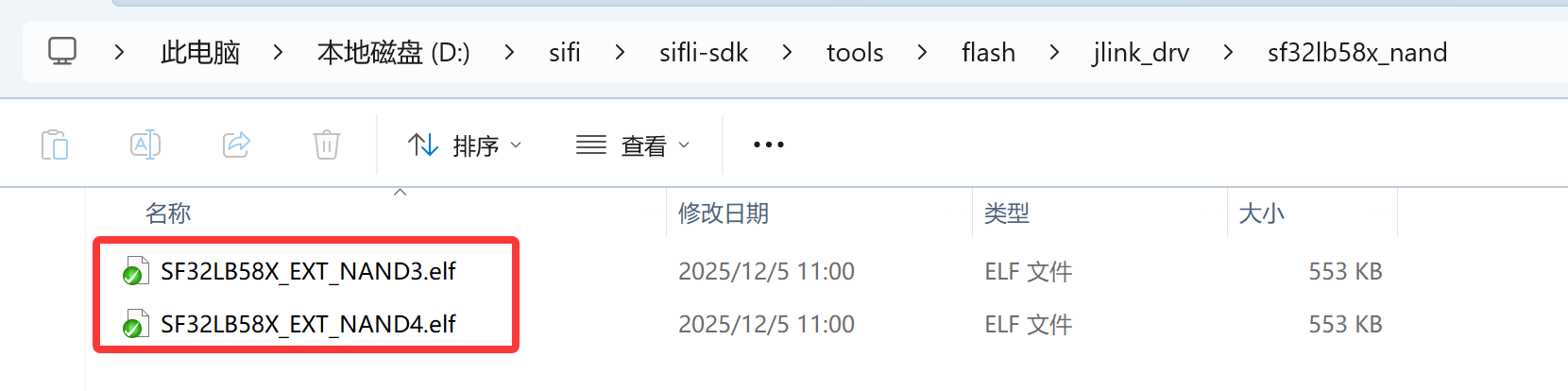
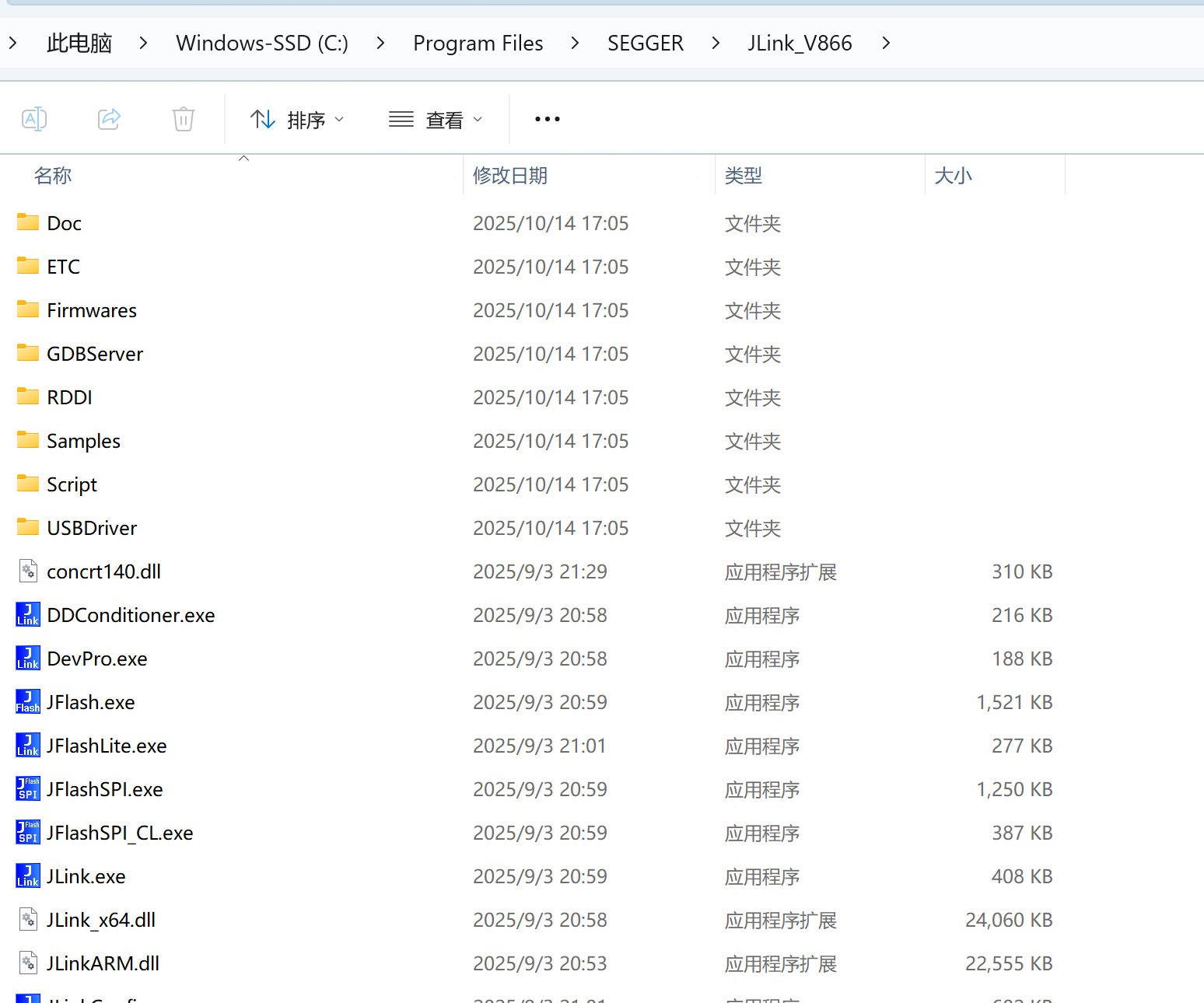
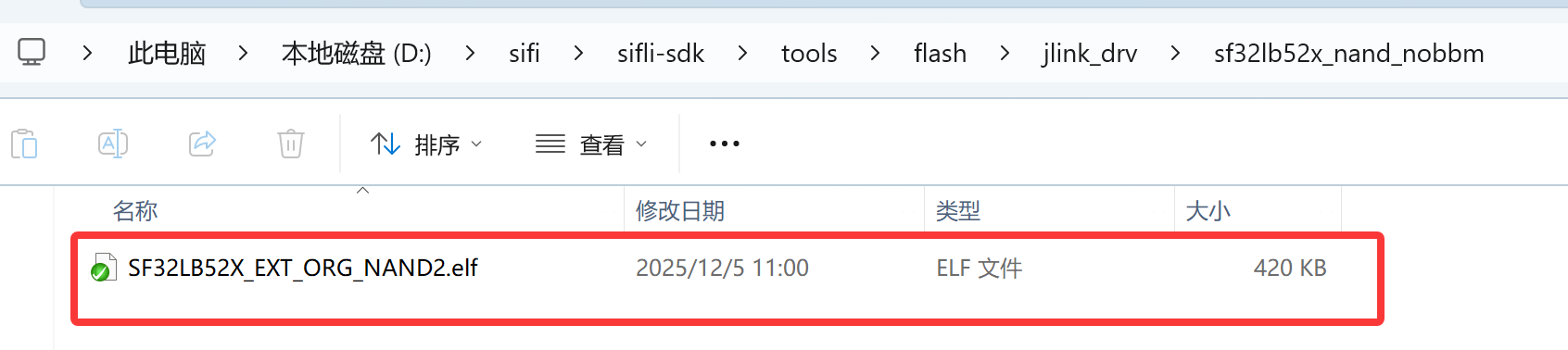
It seems that JLINK V8.66 no longer includes XML and ELF files. How should I add a new board then? Additionally, both “58x” and “58_nand” directories contain a file named SF32LB58X_EXT_NAND3.elf, but the file sizes differ—which one should I use? I couldn’t find any explanation in the documentation.

image

image

Hello, I’m not quite clear about your situation. If you just want to add a board to the J-Link tool, you can copy the board file from the jlink_drv directory to the devices directory under J-Link. Also, could you clarify the specific situation regarding “both 58x and 58_nand contain SF32LB58X_EXT_NAND3.elf”? In my case, there is one FLASH and one NADA.

1792bb08345c96ad9bdfd15889b4ba5a

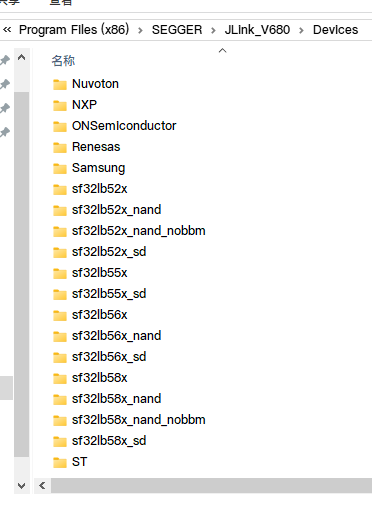
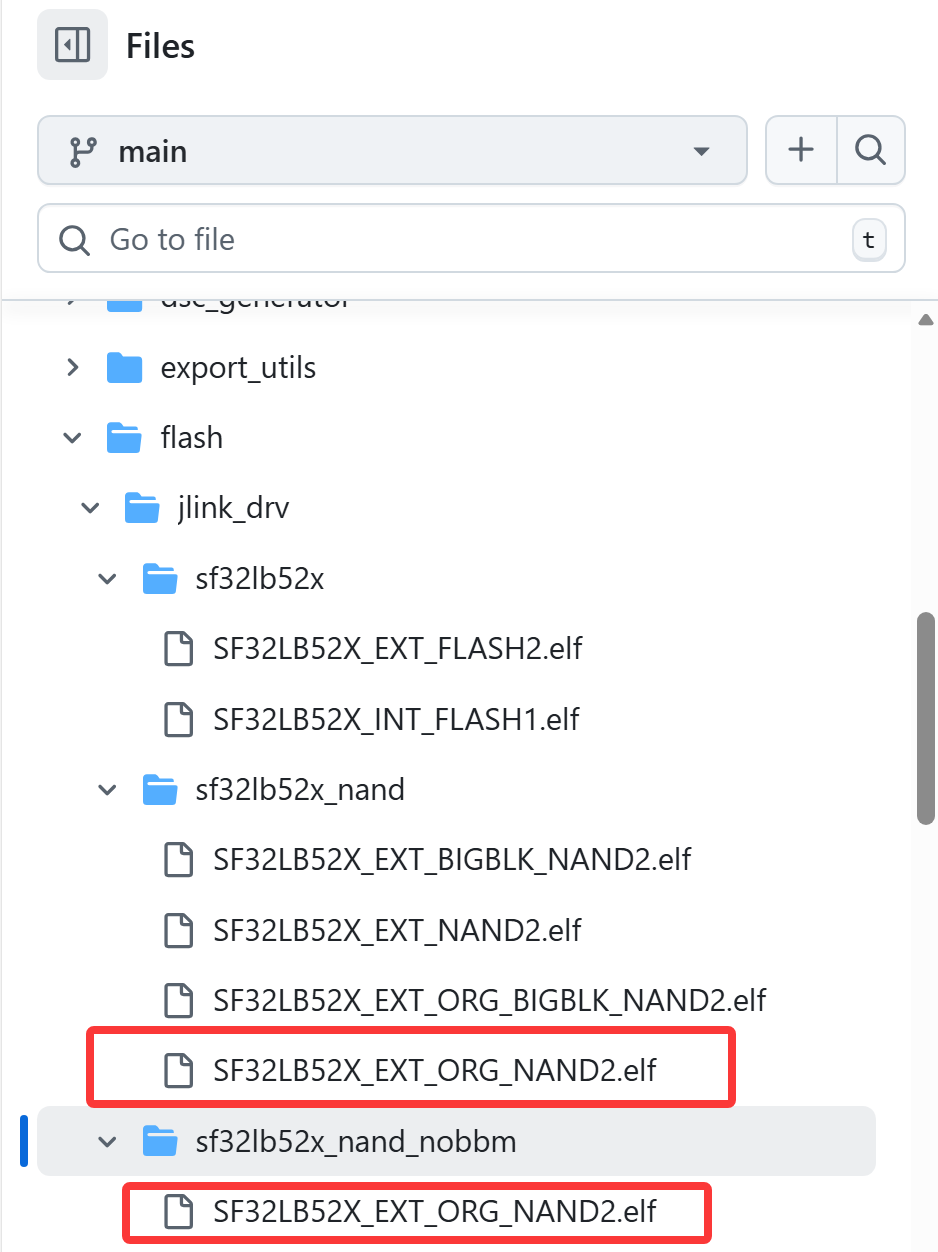
The jlink8.66 no longer has a device folder, and this SDK was freshly pulled. I noticed that there are files with duplicate names in these two folders. If I copy out all the files, they will overwrite one another since the files have the same name but different sizes, so I’m not sure which version to keep. Should I differentiate them by folder? Also, I accidentally uploaded the wrong screenshot earlier—sorry about that.

image

image

image

Could you please help me edit the topic? I can’t seem to modify it.

Which version of the SDK did you pull? :face_with_monocle:

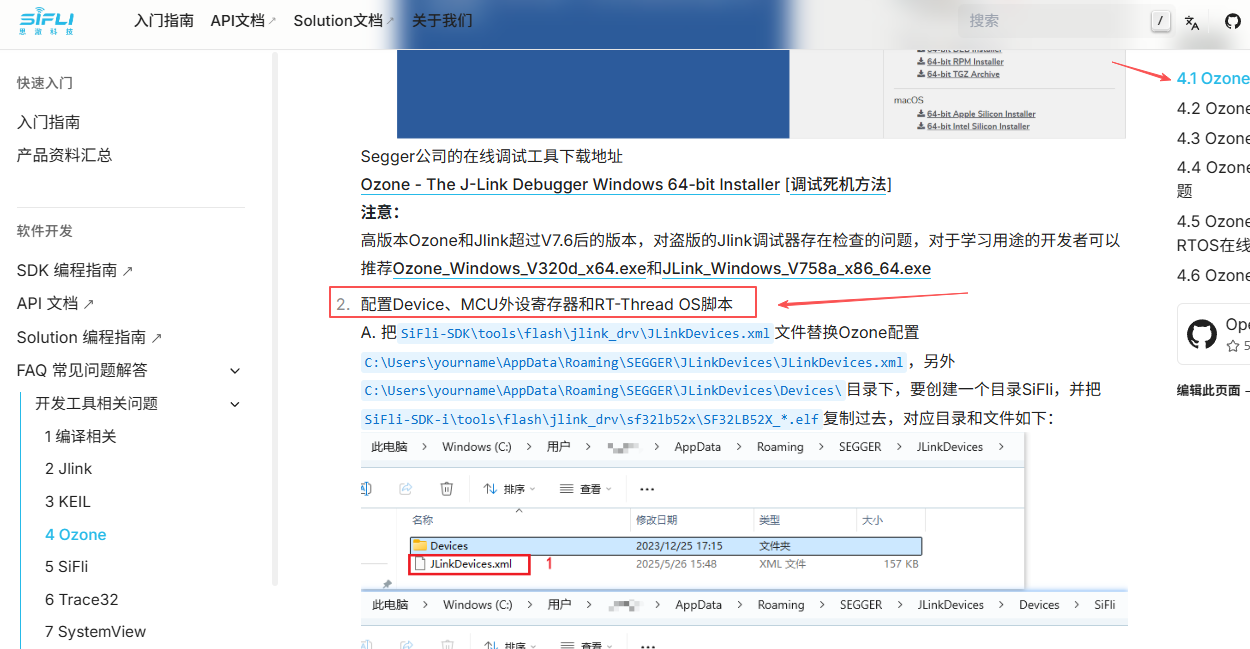
The device configuration for higher versions of J-Link can be set according to the method described in this document.
4 Ozone - SiFli-Wiki v1.0 Document

image This is the latest version from GitHub. Is there a mistake in the naming?

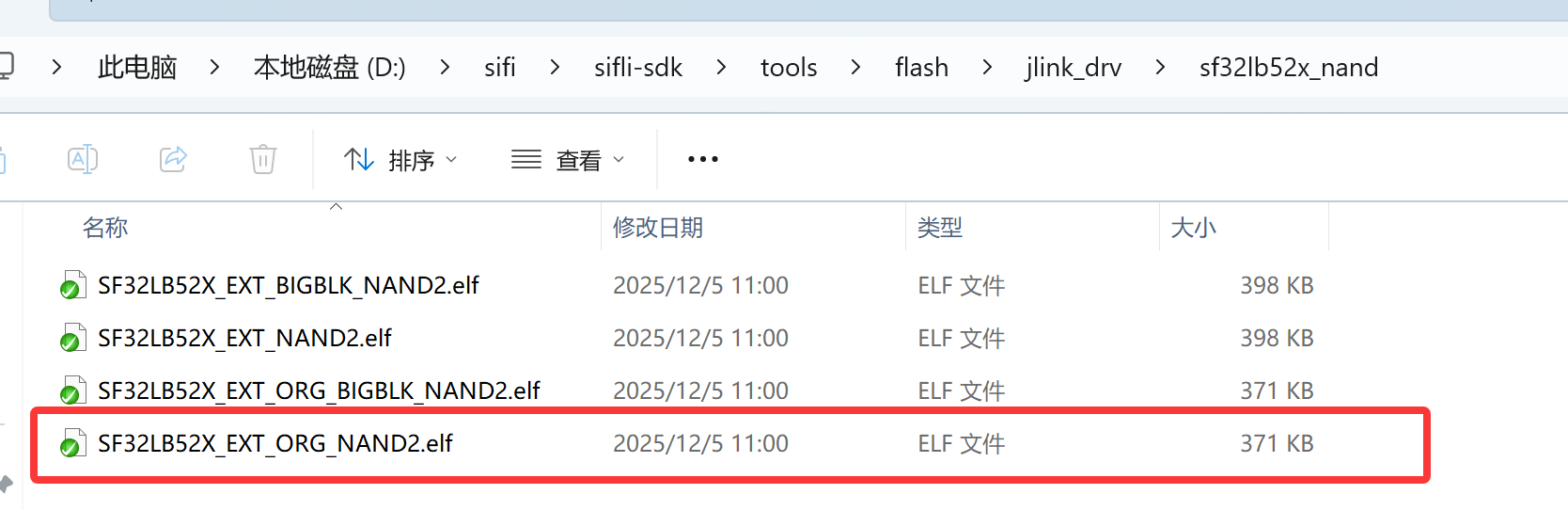
sf32lb52x_nand/ and sf32lb52x_nand_nobbm/ are two configurations of NAND FLASH, indicating whether bad block management is enabled. These two .elf files do not conflict; the choice between them depends on whether your Flash hardware requires bad block management functionality.

1 Like