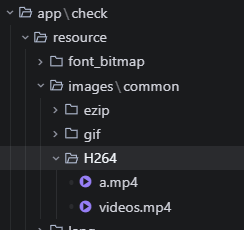
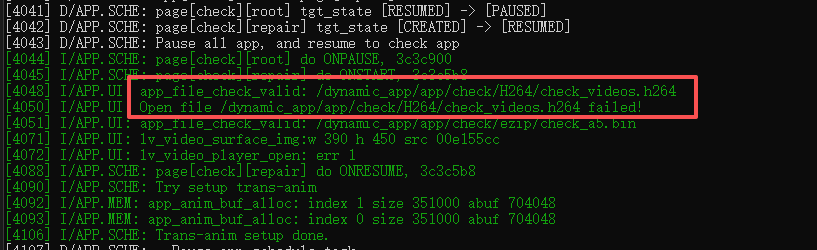
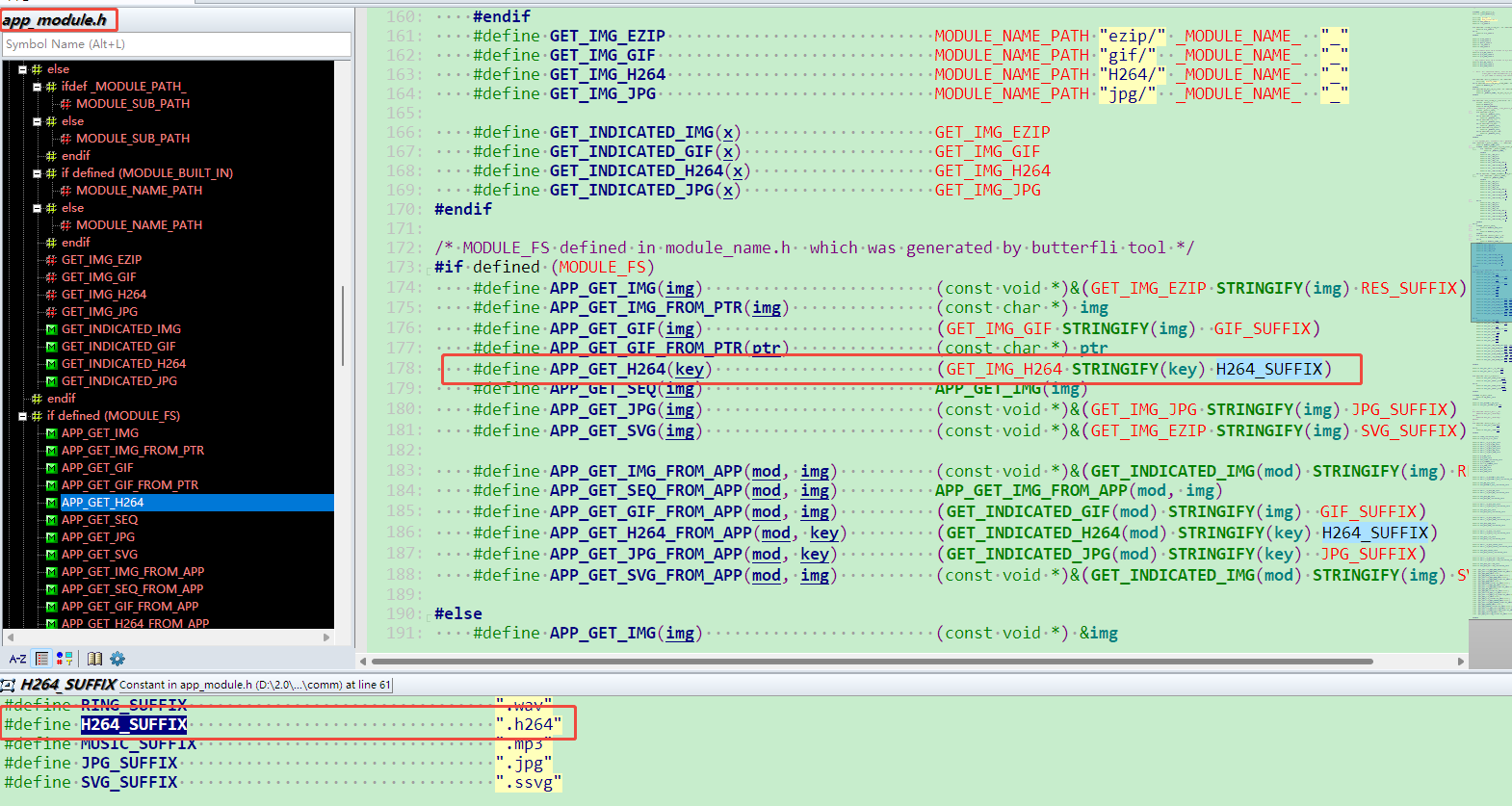
你好,使用”APP_GET_H264“获取资源时,默认拼接的后缀是”.h264”,可以按照如下修改:
1.把资源”videos.mp4“的后缀改成”videos.h264“,改完编译后查看对应工程下“simulator\disk\images\h264\video”的目录是否有该文件,文件后缀”.h264”(若没有,则按照步骤2修改),如下图
2.忽略步骤1,直接把代码里面”APP_GET_H264“接口的后缀改成“.mp4”
katya
3
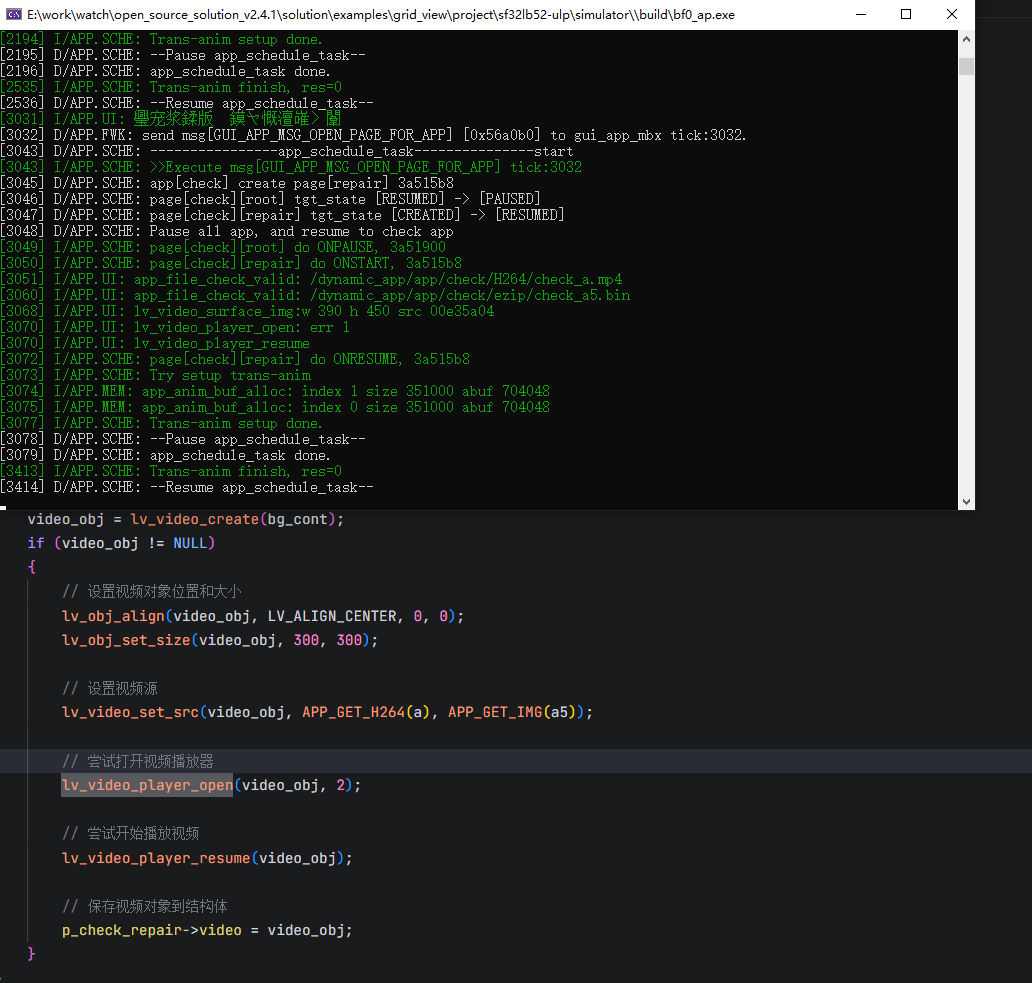
这个err 1是什么意思呀 现在文件是获取到了 但是怎么也播放不了 用lv_video_set_to_playback会闪退
奇怪了,你这个完全看不到video里面的log信息呢,看上去是ffmpeg没打开,你用的是哪个版本呢
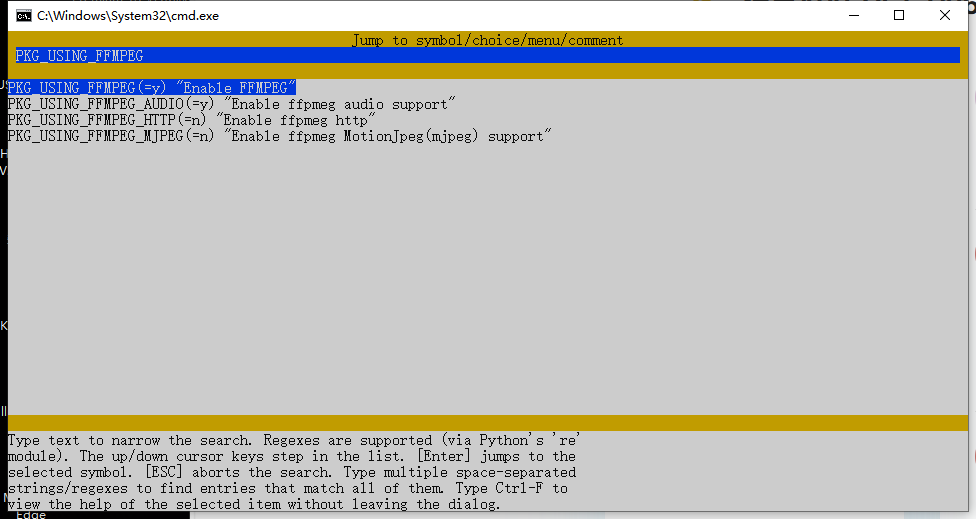
如果看不到”lvsf_video.c“这个文件,那就是打库的版本,打库的时候模拟器没有开”FFMPEG“配置,就只能在板子上面跑了
我们会在2.4.2版本中解决‘.h264’与‘.mp4’后缀兼容的问题,另外FFMPEG打库问题也会一并解决
katya
10
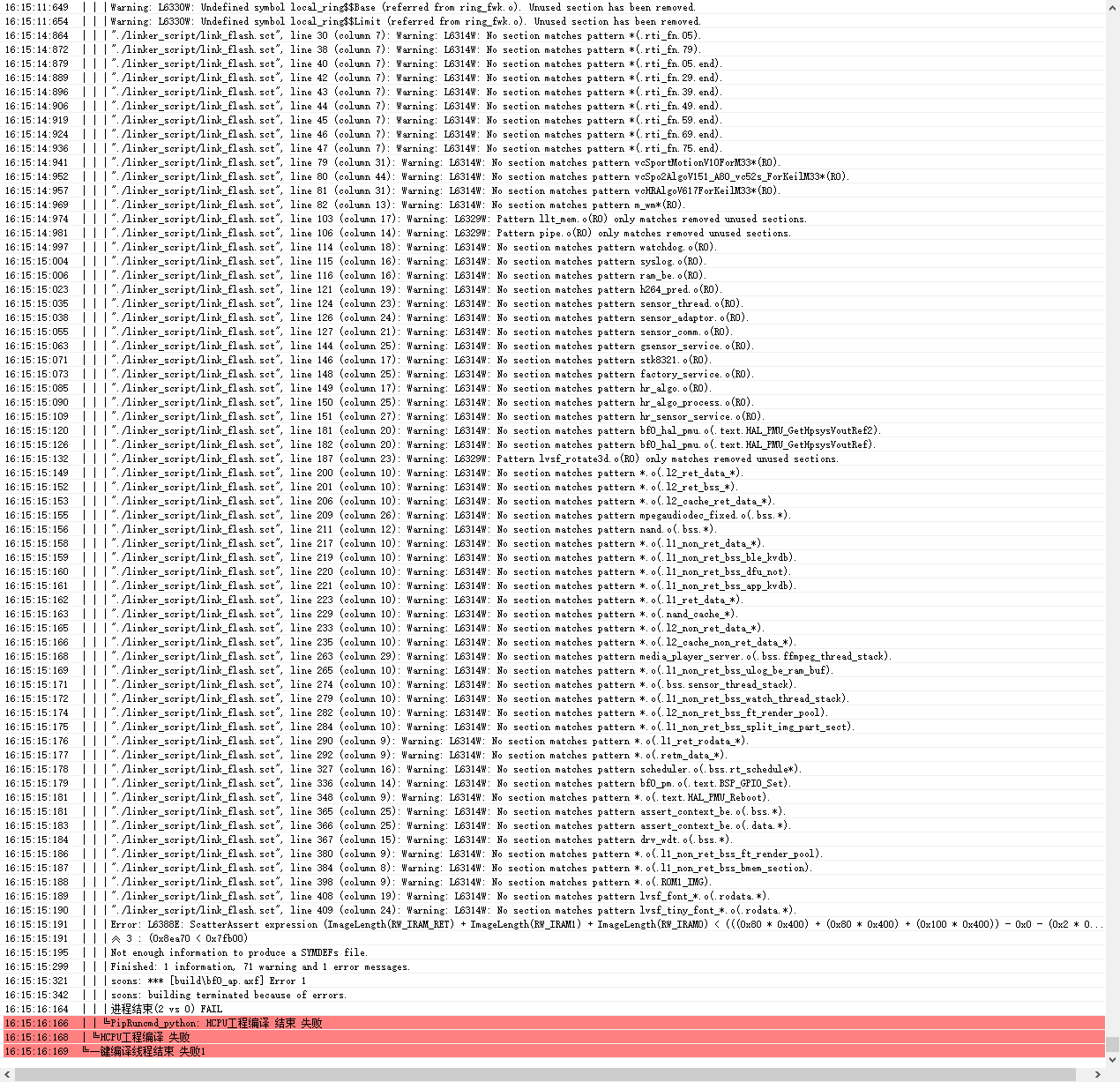
使用模拟器的话 报错是一样的 然后板子的话编译错误
boyang
12
这个是SRAM空间超了,我在这个版本上打开ffmpeg编一下看看
boyang
14
由于不知道你使用的哪块板子,我这边就以52x的为例:
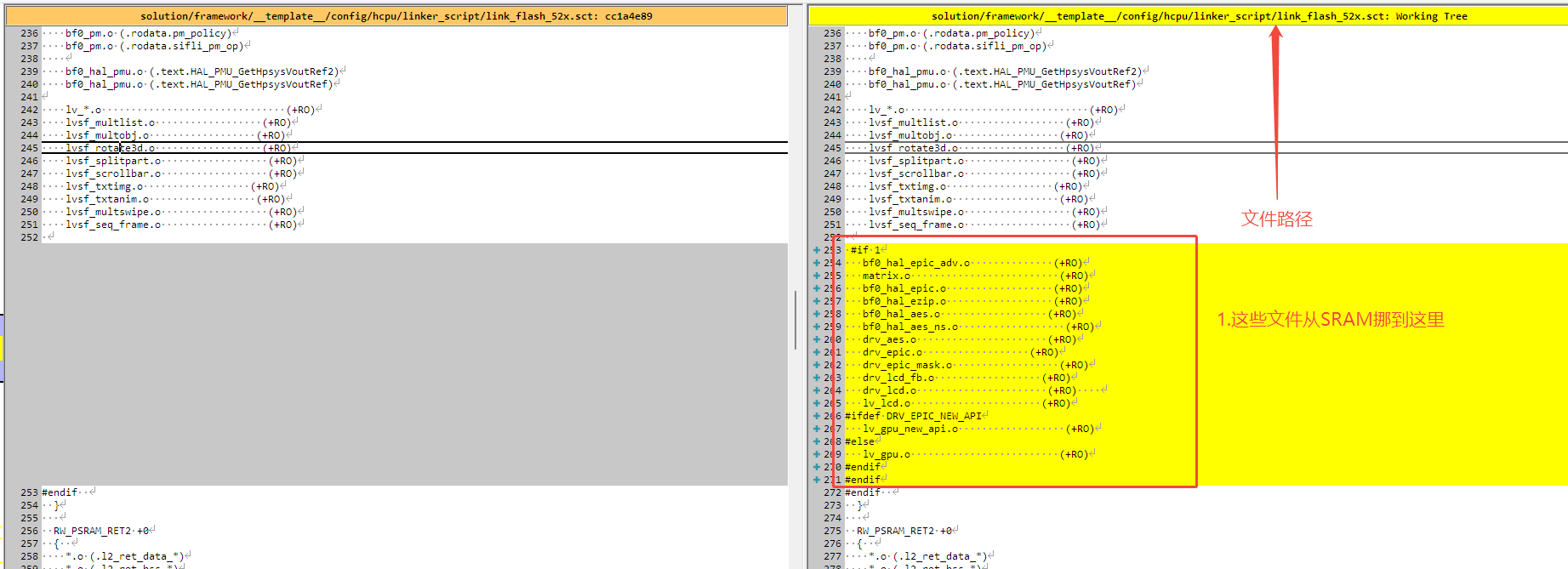
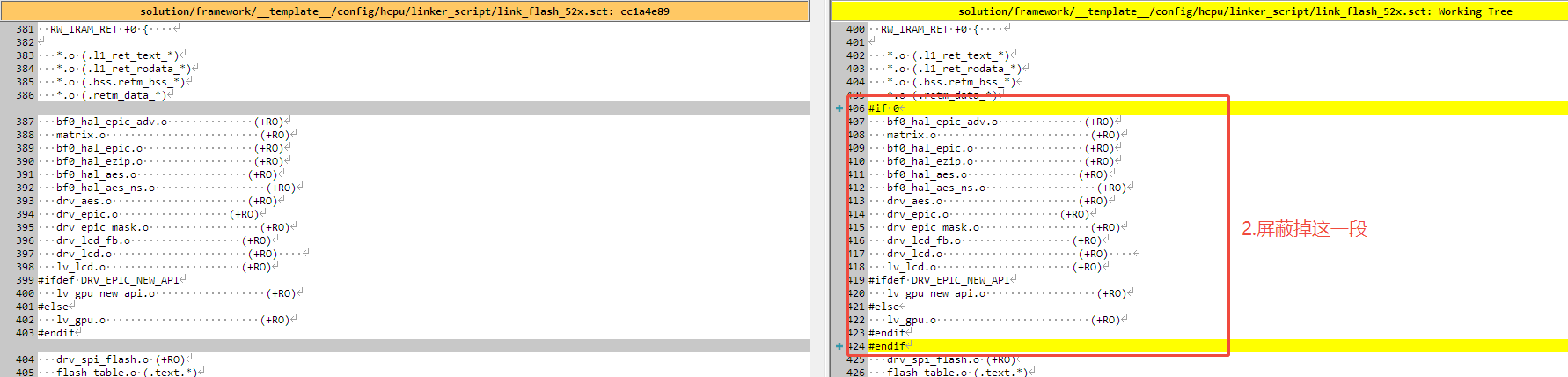
1.打开ffmpeg后sram超了的,可以把sct文件里面gpu相关的代码移到PSRAM上,如下图
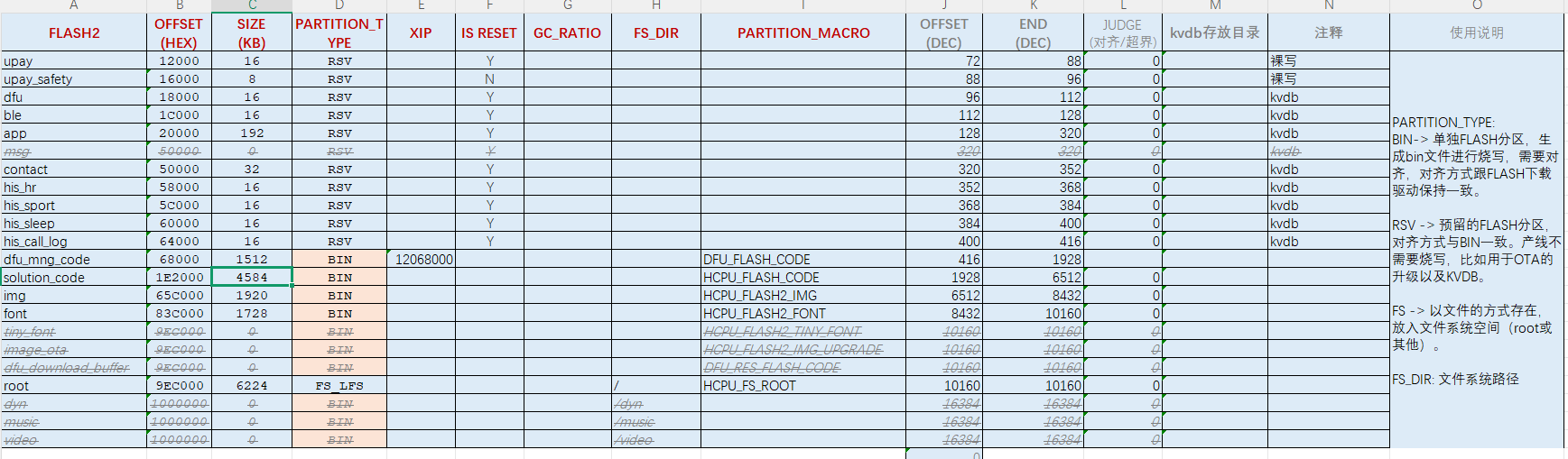
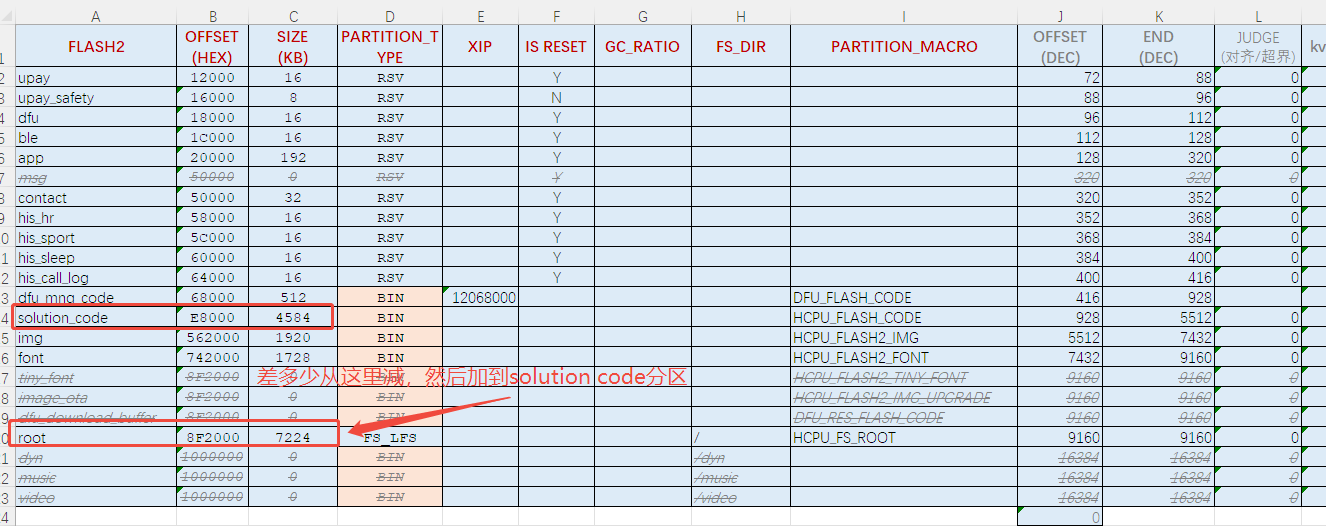
2.如果code空间也超了,直接修改flash map,就是你上面截图的那个表,可以减少root分区的尺寸,加到code分区