LVGL Memory Pool Configuration


I’m a bit confused about how the memory size is configured here. What is the default size being automatically allocated now?

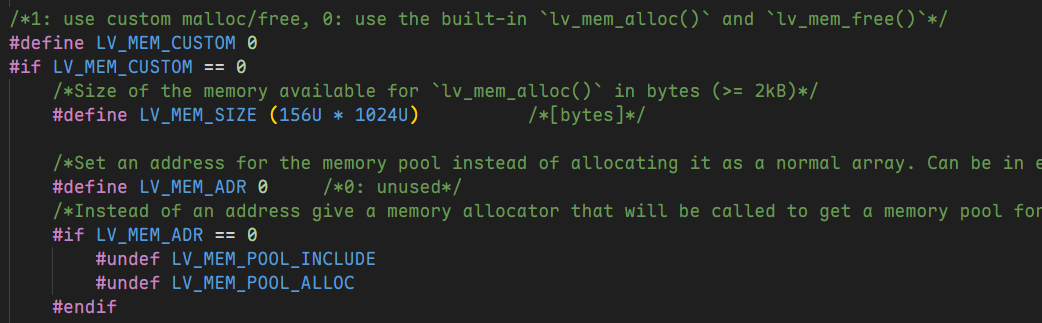
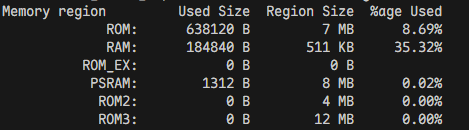
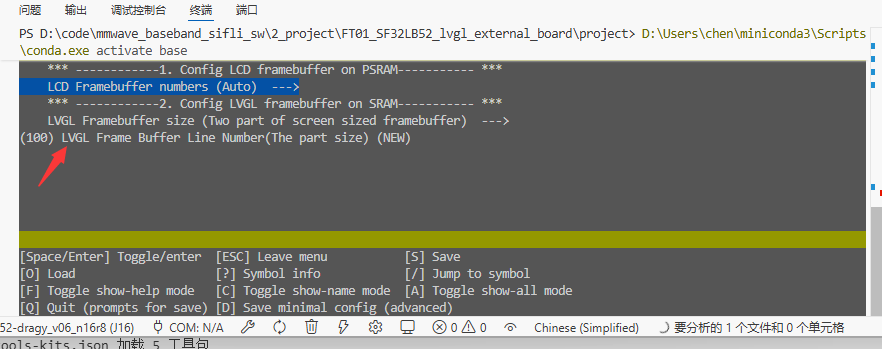
The problem I’m facing is that the interface keeps freezing. Previously, on other platforms, I resolved this by changing LV_MEM_SIZE from 128K to 168K. After porting to SF32, I tried modifying it as well—adjusted both values labeled “32” and “128”—but it seems the compiled RAM usage hasn’t changed (indicating the memory configuration isn’t taking effect). I checked the底层 code and it appears to be hard-coded, but I can’t find any other place where the memory size is set, as shown in the image:

Exactly how should I modify this? I’m a bit lost here.

Then I’d like to ask how to allocate memory in PSRAM, since I noticed that currently everything is using RAM and PSRAM isn’t being utilized much.

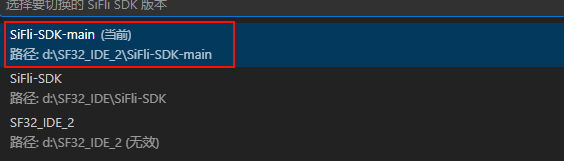
This is likely because the generated config definition is missing the CONFIG_ prefix, causing some settings to not take effect. Could you check the SDK version you’re currently using and when the latest commit was? The related fix was merged within the past week, so you may need to update your SDK.

You can refer to this post for using PSRAM:

You could try using code like this:

#include "mem_section.h"
...
L2_NON_RET_BSS_SECT_BEGIN(lv_work_mem)
L2_NON_RET_BSS_SECT(lv_work_mem, ALIGN(64) static MEM_UNIT work_mem_int[LV_MEM_SIZE / sizeof(MEM_UNIT)]);
L2_NON_RET_BSS_SECT_END

to replace the declaration of work_mem_int in lv_mem.c, so that LVGL’s working heap is allocated in PSRAM. However, this approach is not recommended, as it may lead to malfunction due to PSRAM’s restrictions on unaligned access, or cause performance bottlenecks due to the slower speed of PSRAM.


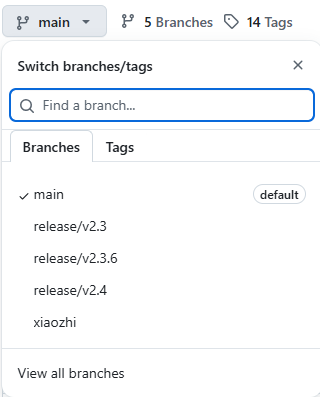
Then, which version should I download again, main or 2.4?

Download the main branch

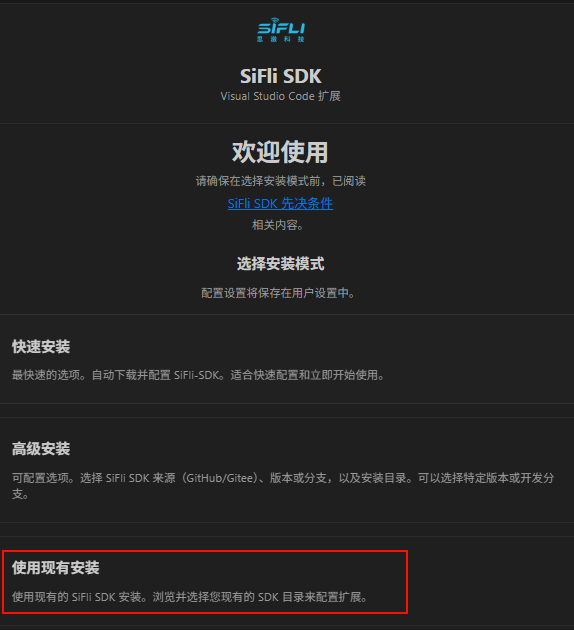
I just switched to a different SDK, and after modifying it using this vscode plugin, I encountered the following compilation error:

When I switched back to the original SDK, everything worked fine again. I also tested with the example code from the main branch, and it had the same issue. How can I fix this? Is there any configuration I might have missed?

Used this one to install

Submodules were not initialized when pulled from GitHub

git submodule update --init --recursive


Changed the new version SDK, modified this:
image

After changing from 32 to 128, it seems the compiled RAM usage hasn’t changed. How exactly is LVGL’s memory allocated?

Now, after flashing, the program still freezes during execution. Previously, on other platforms, we had a similar issue, which was resolved by adjusting LV_MEM_SIZE—from 128KB to 168KB, increasing RAM usage by 20%.


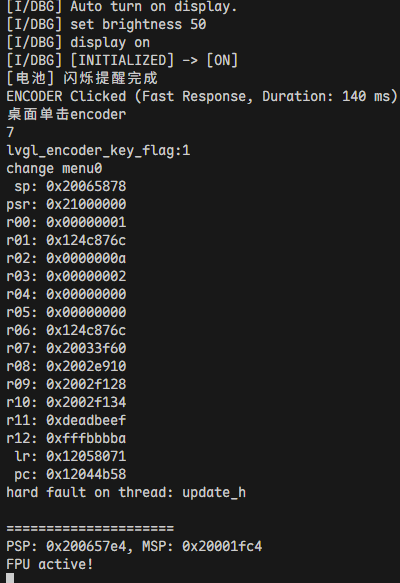
I’m getting this error. When I click to navigate, the interface freezes. Sometimes it works normally for over ten seconds, but eventually, it always freezes.

The memory allocation issue is currently due to V8 being forced to use RT-Thread’s allocation API, so size settings are temporarily ineffective; we will fix this later. The system heap in RT-Thread consists of the remaining memory after deducting statically allocated and reserved memory. Therefore, the problem should not be insufficient memory at this point. Could you please provide information about the thread related to this error?

Regarding the previous issue, we tried several approaches and ultimately resolved the problem by directly modifying the gpu.c file and adjusting the SDK’s memory allocation size, confirming that it was caused by insufficient memory. However, I’d prefer not to repeatedly modify the source code with future SDK updates, so I’d like to understand exactly how the memory allocation is performed. Below is the relevant document analysis.
SDK_BUG_INDEXED8BIT_OOM.md (8.5 KB)

1 Like

Alright, the issue has been received and has been internally reported. Thank you very much for your detailed analysis and suggestions for resolution. :grin:

Okay, thanks, hope it gets resolved soon :waving_hand:

I recently came across this setting, and it seems like the option below it controls the LVGL rendering buffer size. Would you like to give it a try? It appears to be calculated by number of rows.