Device microphone disconnects automatically after connecting when used as Windows Bluetooth HFP microphone

I am developing a Bluetooth microphone device based on the SF32LB52. The current project is mainly modified from the SDK example/bt/hfp example. The goal is to have the device act as HFP HF to connect to a Windows PC. The device collects local microphone audio and uplinks it to the computer via HFP SCO/eSCO, serving as the Windows microphone input. I also directly flashed and tested the official example/bt/hfp_relay example. When connecting to a phone, it completes RFCOMM, HFP AT negotiation, and SCO audio connection, but when connecting to Windows, only ACL is established, after which no HFP RFCOMM connection callback appears, and it disconnects after about 20-30 seconds.

The goal is not to play computer audio, but:

Local microphone of the device
↓
Device as HFP HF
↓
SCO/eSCO audio uplink
↓
Windows PC as HFP AG
↓
Windows microphone input

After the device captures local microphone audio, it is desired to send it to Windows via classic Bluetooth HFP for use by Tencent Meeting, recording software, or other calling software.
Current device configuration:
CONFIG_CFG_HFP_HF=y
Previously also tested with both enabled:
CONFIG_CFG_HFP_HF=y
CONFIG_CFG_HFP_AG=y
But the current goal only needs:


Computer: HFP AG
Device: HFP HF

When a phone connects to the device, it works normally. The log shows the complete flow:

ACL connection successful
RFCOMM connection successful
BTS2MU_HF_CONN_CFM state 2 res:0
HFP AT negotiation successful
HFP HF connected
SCO connection successful
BTS2MU_HF_CONN_CFM state 3 res:0

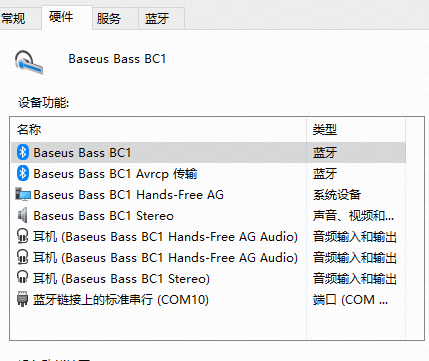
But when Windows connects to the device, the Windows properties show:
Hands-Free HF
Device status: This device is working properly

However, when Windows connects, the device log actually only shows:

ACL connection request
ACL connection complete
Pair with device
Encryption status updated
After about 20-30 seconds:
l2c_ch_fn_disconn_req
link dis-connected

The following are not seen:

hfp_hf_gap_conn_cfm_hdl
BTS2MU_HF_CONN_CFM state 2 res:0
HFP AT command
SCO connected

It disconnects after about 20-30 seconds.

I also tried:

hfp_cmd hfp_connect <PC_MAC>

The command is parsed, but still no HFP RFCOMM is established, and it does not enter SCO either.

Now I want to know whether the SF32LB52 supports connecting as HFP HF to the HFP AG of a Windows PC.

Chip: SF32LB52
Development board: sf32lb52-lcd_n16r8
Windows version: win10

Need help @yxhuang @zhenpeng

Can you provide the logs?

COM9 2026-09-24 09-40-24.289.log (50.6 KB)
Official original bt\hfp example code

Official original BT\HFP example, the log when connecting to the computer is as follows:

COM9 2026-09-24 09-40-24.289.log (50.6 KB)
The log when connecting to the phone is as follows:

COM9 2026-09-24 09-49-23.602.log (108.0 KB)
The phone can connect successfully and stays connected, but the PC cannot.

@chaotaoyang Could you please take a look? Thanks.

It is initially suspected that the PC needs to connect via A2DP. Could you first try connecting the device to the PC?

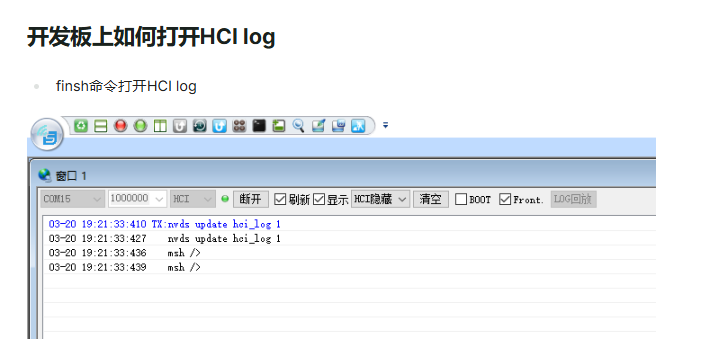
nvds update hci_log 1 Enable HCI log — you can use tools to view the HCI log in real time

The PC actively connects via A2DP, and there is no active connection process for the HFP HF profile.

Suggestion: Try actively connecting from the device side to the PC’s HF service to see if it can succeed.

Based on current testing, the PC supports both the HFP HF service and AG service, but establishing an SLC fails.

COM9 2026-09-24 11-37-29.009.log (132.6 KB)
Log as above

Still the bt/hfp example
This log is from what I flashed just now. First I connected to the computer once, and after connecting, it disconnected by itself. At that point, the computer showed it as paired.

image

Then the reboot in the middle was me manually restarting it.
After the restart, I ran:
nvds update hci_log 1
hfp_cmd hfp_connect 28:95:29:3B:83:E5
There was no response from the computer.

@chaotaoyang

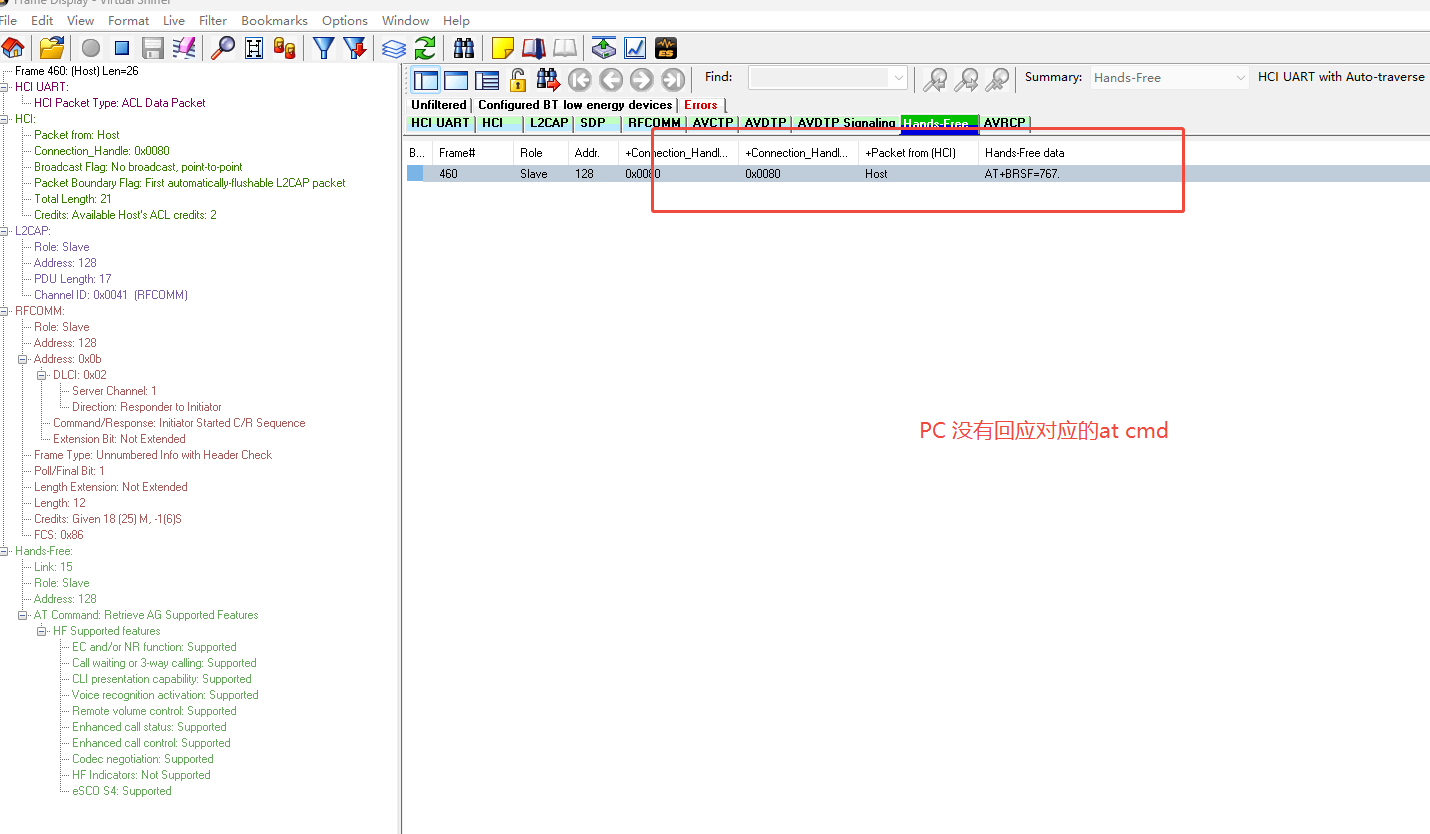
Based on the log above, the PC side does not support HF connections.

Do you mean that my current board doesn’t support HFP connection to the computer, or is there a problem with my computer’s Bluetooth? :thinking:

My Bluetooth headphones can connect to my PC normally, and they work as a microphone, so the PC should support HFP, right? @chaotaoyang

[2026-09-24 11:40:18.561] [230333] D/NO_TAG bts: fsm: SDC st:1 evt:4
[2026-09-24 11:40:18.561]
[2026-09-24 11:40:18.561] [230339] D/bt_common bts: dm_set gap_wr_scan_enb_req_hdl 8761
[2026-09-24 11:40:18.561]
[2026-09-24 11:40:18.561] [230346] D/bt_common bts: svc_release gap_sdc_open_srch_cfm_hdl 1687
[2026-09-24 11:40:18.561]
[2026-09-24 11:40:18.561] [230354] D/bt_common bts: hfp_hf_gap_sdc_close_ind_hdl res c st 2
[2026-09-24 11:40:18.561]
[2026-09-24 11:40:18.561]
[2026-09-24 11:40:18.561] [230361] D/bt_common bts: HF device_state new_sate 0x 0, old_state 0x 1
[2026-09-24 11:40:18.561]
[2026-09-24 11:40:18.561] [32m[230368] I/btapp_hf bts: hfp msg *msg_type 8003 inst_data->st 1
[2026-09-24 11:40:18.561]
[2026-09-24 11:40:18.561]
[2026-09-24 11:40:18.561] [0m[32m[230375] I/btapp_hf bts: BTS2MU_HF_CONN_CFM state 0 res:c

We suggest you take a look at the A2DP SHARING project instead. This clearly indicates that the SDP search cannot find the AG service information on the PC side. We recommend you investigate the AG service on the PC side.

You need to upload these 4 log files.

Hello, this is the log for connecting to the PC. At the bottom, it connected successfully, but then disconnected again.

log.zip (23.3 KB)

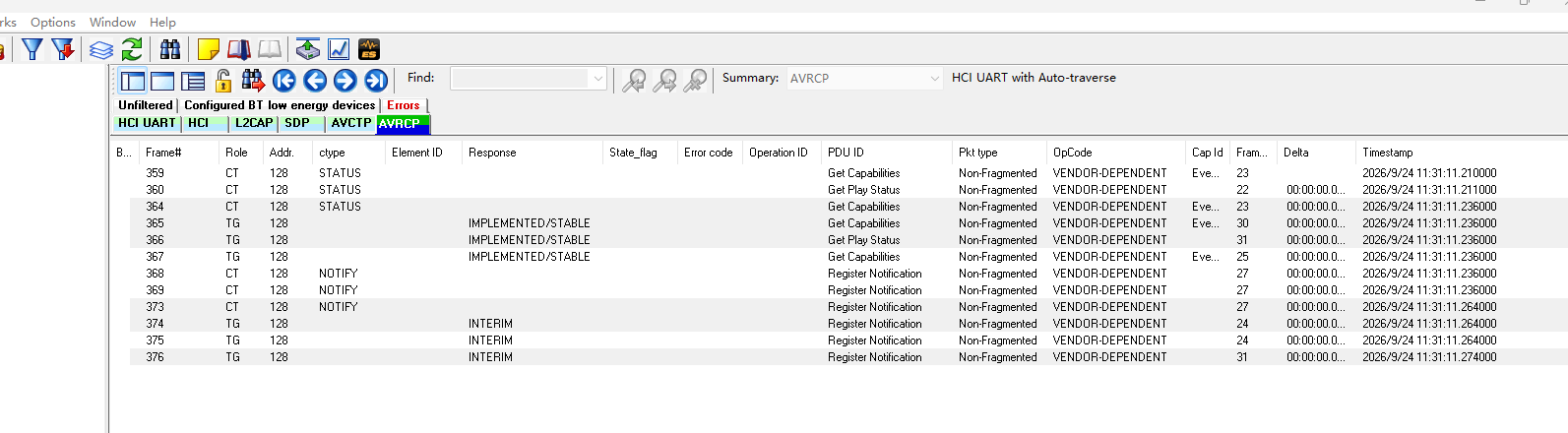
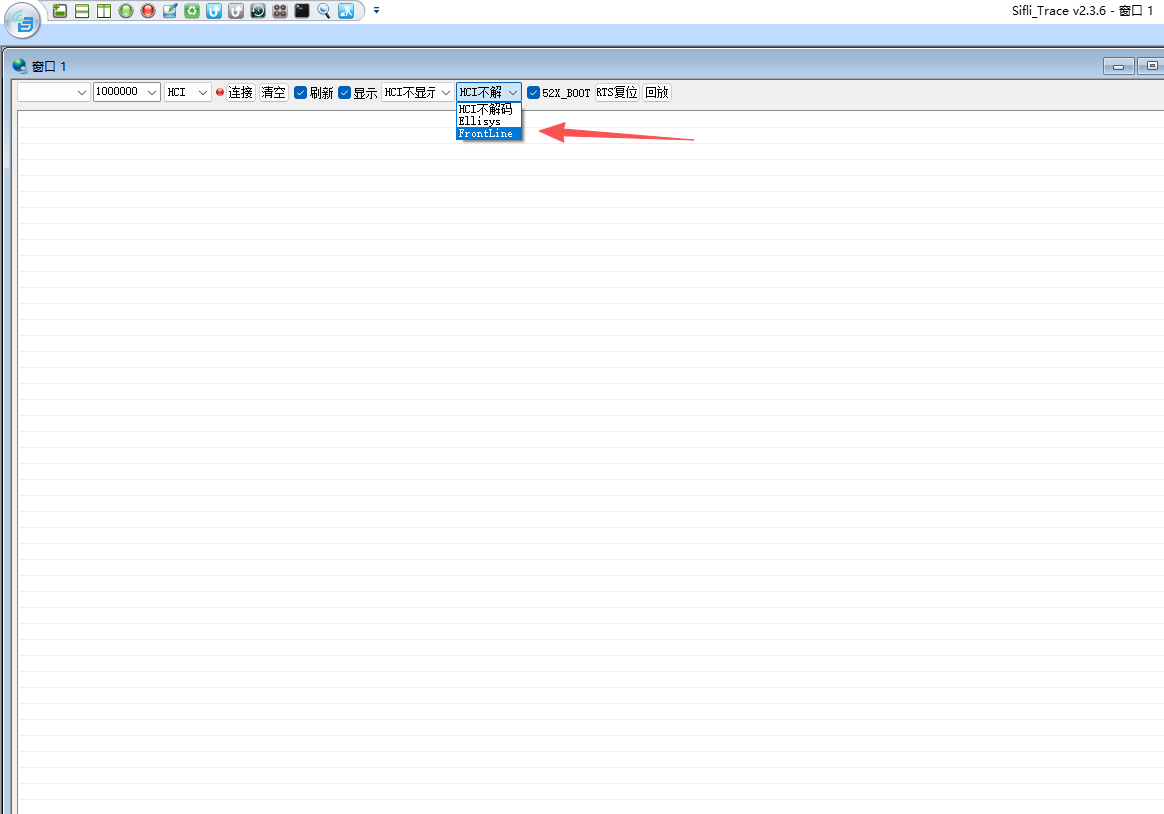
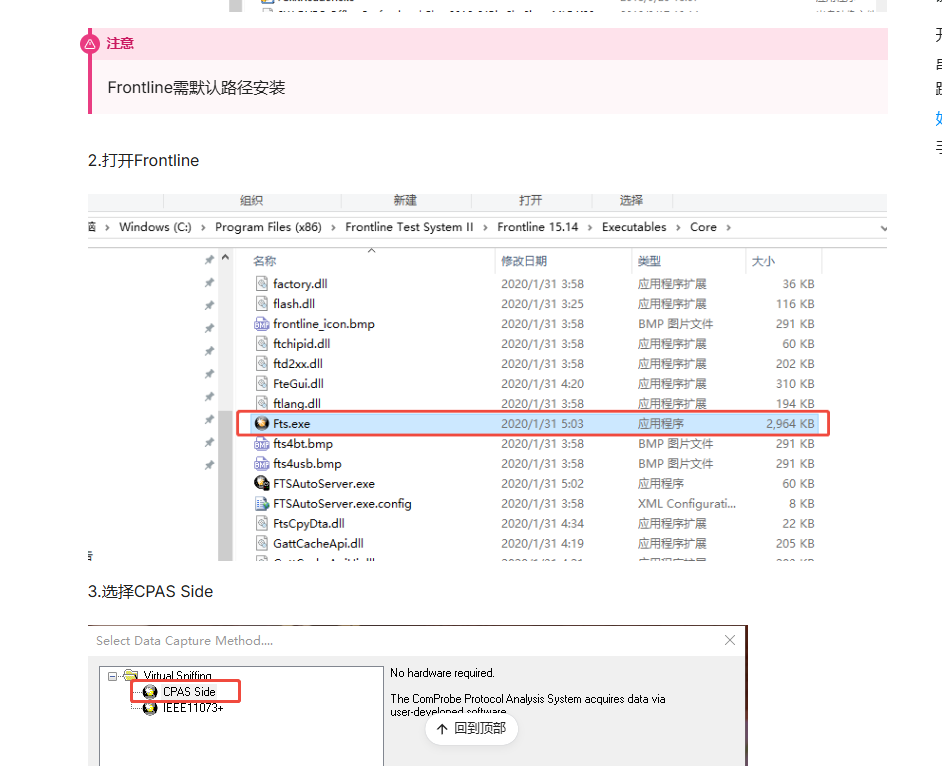
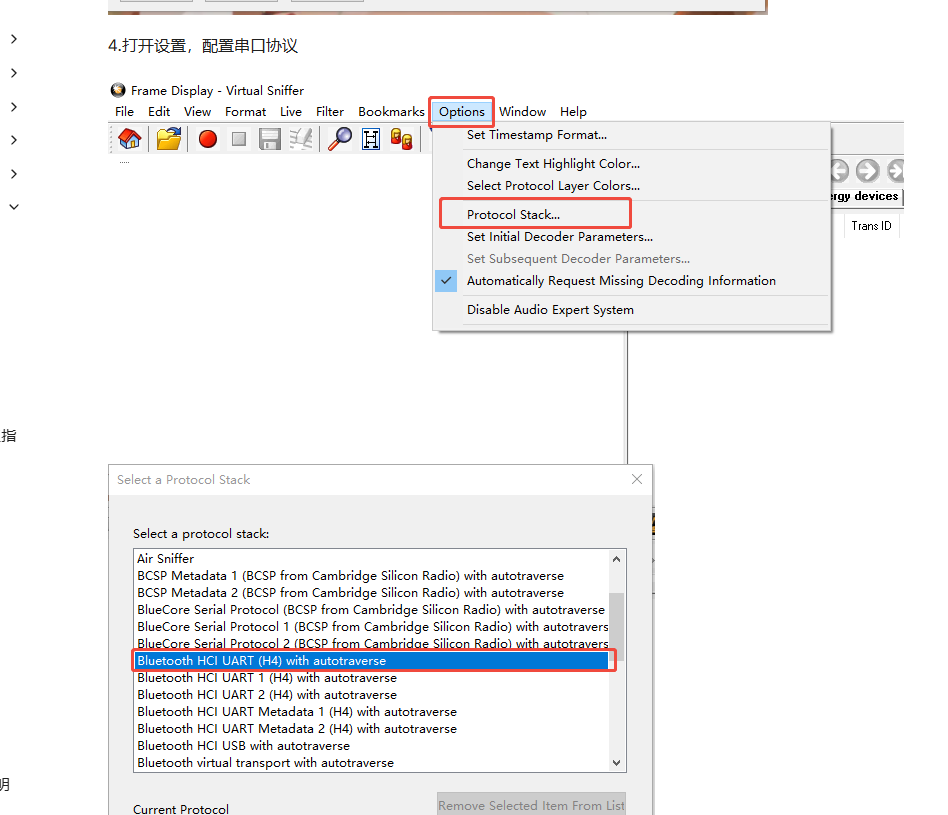
The prerequisite is to install and open the software for parsing HCI (e.g., ComProbe Protocol Analysis System)

This log only shows ACL connected and the pairing process completed, but no connection protocol (e.g., HFP) came through. I suggest you switch to another project (a2dp_sharing), which includes both A2DP and HFP services.

Okay, I’ll give it a try now.

Open it and restart it, and also install the FortLine tool